Loading
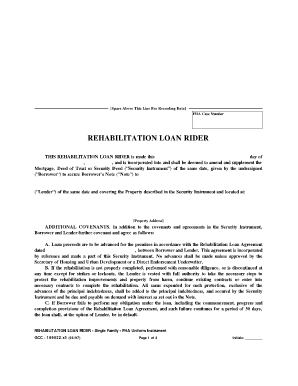
Get Loanrider
How it works
-

Open form follow the instructions
-

Easily sign the form with your finger
-

Send filled & signed form or save
How to fill out the Loanrider online
Filling out the Loanrider online is a crucial step in securing a rehabilitation loan for property improvements. This guide provides clear, step-by-step instructions to ensure you accurately complete the form and understand its components.
Follow the steps to effectively complete your Loanrider
- Click the ‘Get Form’ button to obtain the Loanrider and open it in your editor.
- Enter the FHA Case Number in the designated field at the top of the form.
- Fill in the date on the line provided, indicating when you are completing the form.
- Complete the section identifying the Borrower by entering their name, which appears on the original note.
- Specify the name of the Lender in the appropriate section, ensuring it matches the information in the Security Instrument.
- In the Property Address section, clearly enter the full physical address of the property that is being improved.
- For the Additional Covenants section, acknowledge the Loan Agreement date by filling in the relevant date; this links your Loanrider to the overall agreement.
- Review the responsibilities outlined regarding the rehabilitation process, ensuring you understand your obligations to avoid potential loan defaults.
- Sign the form at the designated signature line. Each Borrower should initial as required, indicating acceptance of the terms.
- Once all sections are filled out and signed, you can save your changes, download the completed Loanrider, print a copy for your records, or share it as necessary.
Complete your Loanrider online to secure your rehabilitation loan today.
LONE RIDER EXTRAS The company was created in France by Frédéric, then we started selling all over the world. Today, the team is international (France + Switzerland + New Zealand + United States). We manufacture and ship from our warehouses all over the world.