Loading
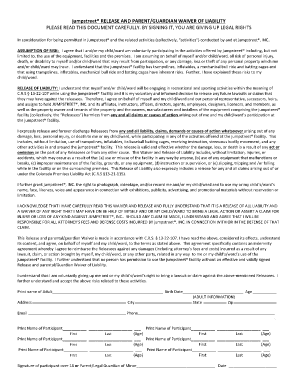
Get Jumpstreet Waiver
How it works
-

Open form follow the instructions
-

Easily sign the form with your finger
-

Send filled & signed form or save
How to fill out the Jumpstreet Waiver online
Filling out the Jumpstreet Waiver online is an essential step to participate in the activities offered at Jumpstreet. This guide will provide you with clear instructions on how to complete the waiver efficiently and accurately.
Follow the steps to complete the Jumpstreet Waiver online.
- Click the ‘Get Form’ button to obtain the waiver form and open it in your document editor.
- Begin by entering the name of the adult filling out the form in the designated field labeled 'Print name of Adult.'
- Next, input the adult's birth date, address, city, state, zip code, email, and phone number as requested.
- For participant information, print the names of all participants. For each participant, provide their first and last name along with their age.
- Once all member names and ages are recorded, review the information to ensure accuracy.
- Finally, the adult must sign the form as either the participating adult or as the parent/legal guardian of any minors listed on the waiver. Include the date of signing.
- After completing all sections, save your changes, and download, print, or share the form as needed.
Complete your Jumpstreet Waiver online today to get started on your adventure!
14) Jump Street have a no refund policy throughout all departments. 15) Climbers with incorrect footwear or that are late for their safety briefing are not entitled to a refund.