Loading
Get H1200 Ez
How it works
-

Open form follow the instructions
-

Easily sign the form with your finger
-

Send filled & signed form or save
How to use or fill out the H1200 Ez online
The H1200 Ez form is essential for individuals with disabilities looking to access Medicaid benefits in Texas. This guide provides comprehensive step-by-step instructions on how to complete the form accurately and efficiently online.
Follow the steps to fill out the H1200 Ez form online
- Press the ‘Get Form’ button to access the form and open it in an online editor.
- Begin by filling out Section A. Enter your first name, middle name, and last name. Provide your Social Security number and date of birth in the specified format.
- Complete your mailing address, city, state, ZIP code, and contact numbers. Include your email address if applicable.
- Indicate whether you live in Texas and if you plan to stay. Provide any Social Security or railroad retirement numbers if you receive those benefits.
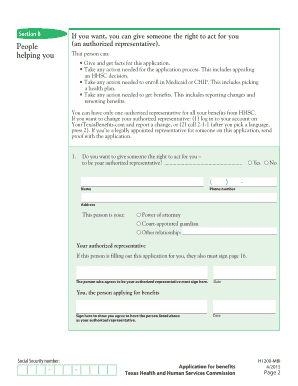
- Move on to Section B. Here, indicate if someone is assisting you in filling out the form and provide their details if applicable. This person may act as your authorized representative.
- In Section C, answer citizenship questions. Indicate if you are a U.S. citizen or provide details if you are a refugee or legally admitted immigrant.
- Section D is for any interview help you may require. Specify your preference for contact method and any additional needs.
- Proceed to Sections E through I to provide information about your Medicare coverage, health insurance, income sources, and any medical bills incurred in the past three months.
- In Section J, you may choose to register to vote. This step is optional.
- Review your entries in the Statement of Understanding section, sign, and date the form to confirm your agreement with the provided information.
- Once completed, save your changes. You can download, print, or share the form as needed. Make sure to retain a copy for your records.
Complete the H1200 Ez form online today to access your Medicaid benefits.
1:16 4:11 How to reorder the columns on Invoice template in QuickBooks Pro Premier YouTube Start of suggested clip End of suggested clip Alright. So now all we have to do is just click this one additional customization ok and then justMoreAlright. So now all we have to do is just click this one additional customization ok and then just could columns. And you'll see as the columns. It's all all here columns.