Loading
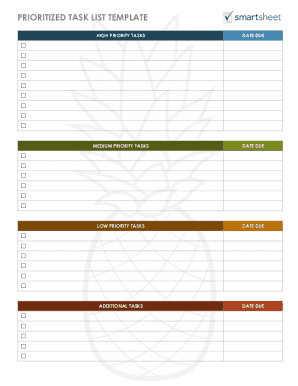
Get Blank To Do List
How it works
-

Open form follow the instructions
-

Easily sign the form with your finger
-

Send filled & signed form or save
How to fill out the Blank To Do List online
This guide provides clear and simple instructions on how to effectively fill out your Blank To Do List online. Following these steps will help you prioritize your tasks and improve your time management.
Follow the steps to complete your Blank To Do List
- Click ‘Get Form’ button to obtain the form and open it in the editor.
- Identify the ‘Task’ field. Enter each task you need to complete clearly and concisely.
- Locate the ‘Priority’ field. Assign a priority level to each task using the letters A through F, where A indicates very important tasks and F indicates unimportant tasks.
- Review your entries for accuracy, ensuring all tasks and priorities reflect your intended focus.
- Once you have filled out the form, save your changes. You can also choose to download, print, or share your completed Blank To Do List as needed.
Start managing your tasks more effectively by completing your Blank To Do List online today.