Loading
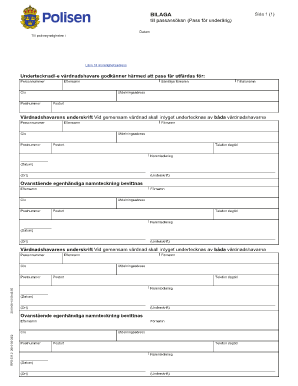
Get Polisen Form Bilaga
How it works
-

Open form follow the instructions
-

Easily sign the form with your finger
-

Send filled & signed form or save
How to fill out the Polisen Form Bilaga online
Filling out the Polisen Form Bilaga is an essential step in applying for a passport for a minor. This guide provides comprehensive instructions for completing the form online, ensuring that you understand each section and field clearly.
Follow the steps to accurately complete the Polisen Form Bilaga online.
- Click ‘Get Form’ button to obtain the form and open it for editing.
- Enter the date at the top of the form, indicating when you are filling it out.
- In the section for the authority, specify 'Polismyndigheten i' followed by the address of the relevant authority.
- Provide the details of the child, including their personnummer (personal identification number), last name (efternamn), and any relevant c/o information.
- Fill in the postal code (postnummer) and all of the child's first names (samtliga förnamn), as well as their preferred first name (tilltalsnamn).
- Complete the child’s address details, including the distribution address (utdelningsadress) and city (postort).
- For the guardian's details, input their personal information including personnummer, last name, c/o information, postal code, first name, distribution address, and city.
- Both guardians should sign the form in the designated area, ensuring the signature is provided for both parties in cases of shared custody.
- Witnesses must also sign, providing their details similar to those requested for the guardians, which includes their last name, first name, c/o information, postal code, and contact number.
- Upon completing the form, you can save your changes, download a copy for your records, print the form, or share it as necessary.
Complete your Polisen Form Bilaga online today and ensure a smooth passport application process.
Store all selected checkbox value in array using for loop. Inside this function, create a new blank array ( let arr = [] ). Then, store the selected checkbox into a variable using querySelectorAll() method. The querySelector() method returns the first element that matches the specified selectors.