Loading
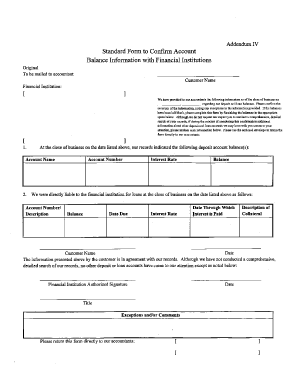
Get Financial Audit / Verification Forms
How it works
-

Open form follow the instructions
-

Easily sign the form with your finger
-

Send filled & signed form or save
How to use or fill out the Financial Audit / Verification Forms online
Completing the Financial Audit / Verification Forms online can streamline the audit process and ensure accuracy in your financial reporting. This guide offers clear and concise instructions to help you navigate each section of the form with confidence.
Follow the steps to successfully complete the form online.
- Click ‘Get Form’ button to obtain the form and open it in the editor.
- Begin by entering your personal information in the designated fields. This often includes your name, address, and contact details. Make sure all information is accurate and up to date.
- Next, complete the financial disclosure section. Here, you will outline your financial activities, including income sources and expenditures. Provide precise figures to avoid discrepancies.
- Move on to any required documentation sections. If asked, upload supporting documents in the specified formats. Ensure that all files are clearly labeled and relevant to your financial audit.
- Review each section thoroughly. Double-check all entries for accuracy and completeness. This step is crucial to ensure your submission meets all requirements.
- Once satisfied with the information entered, you can save changes, download a copy for your records, print the form, or share it as needed. Ensure that you keep a copy for your personal files.
Start filling out your Financial Audit / Verification Forms online today to ensure a smooth audit process.
Gathering evidence—Auditors apply professional scepticism and judgement when gathering and evaluating evidence through a combination of testing the company's internal controls, tracing the amounts and disclosures included in the financial statements to the company's supporting books and records, and obtaining external ...