Loading
Get Hud 11720
How it works
-

Open form follow the instructions
-

Easily sign the form with your finger
-

Send filled & signed form or save
How to fill out the HUD 11720 online
Completing the HUD 11720 online is an essential process for establishing a custodial account related to Ginnie Mae Mortgage-Backed Securities. This guide aims to provide clear, step-by-step instructions to help users fill out the form efficiently and accurately.
Follow the steps to successfully fill out the HUD 11720 online
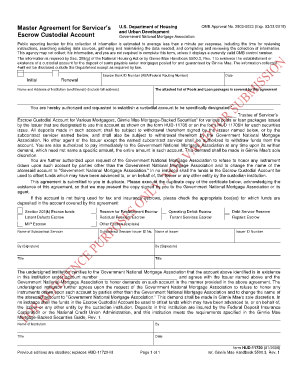
- Click the ‘Get Form’ button to obtain the HUD 11720 and open it in your preferred online editor.
- Begin by entering the Escrow Bank ID Number (ABA/Federal Routing Number) in the designated field. This unique identifier is critical for processing transactions related to the custodial account.
- Indicate the type of transaction by marking the appropriate box for either 'Initial' or 'Renewal.' This step helps clarify the purpose of the form submission.
- Provide the name and full address of the institution (and branch) managing the custodial account. Ensure that all details are accurate to avoid any processing issues.
- Specify the name of the custodial account. This should be formatted as ‘Trustee of Servicer’s Escrow Custodial Account for Various Mortgagors, Ginnie Mae Mortgage-Backed Securities’ followed by the relevant pools or loan packages.
- List any existing pools or loan packages covered by the agreement, making sure to verify their accuracy with the specific requirements of the form.
- Ensure that all withdrawals from the account are authorized. Include the names of the entities permitted to withdraw funds, specifically the Issuer and subcontract servicer.
- If applicable, check the appropriate box(es) for the types of escrow funds deposited in the account, such as Section 203(k) Escrow funds, MIP Escrow, or any 'Other Escrow' with an explanation.
- Complete the signature section, including the signatures and titles of authorized representatives from both the Issuer and the custodian institution.
- Review the completed form for any errors or omissions. Once verified, save your changes, and download, print, or share the form as needed.
Take the next step in your document management and complete the HUD 11720 online today!
Using the “value” attribute: The “value” attribute allows you to set the default value of the input field. By using the “value” attribute, you can set a custom date format that will be displayed in the input field by default.
Industry-leading security and compliance
US Legal Forms protects your data by complying with industry-specific security standards.
-
In businnes since 199725+ years providing professional legal documents.
-
Accredited businessGuarantees that a business meets BBB accreditation standards in the US and Canada.
-
Secured by BraintreeValidated Level 1 PCI DSS compliant payment gateway that accepts most major credit and debit card brands from across the globe.