Loading
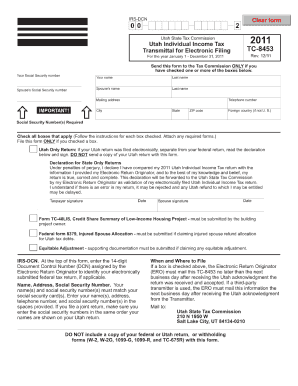
Get Tc 8453 Form Utah
How it works
-

Open form follow the instructions
-

Easily sign the form with your finger
-

Send filled & signed form or save
How to fill out the Tc 8453 Form Utah online
Filling out the Tc 8453 Form Utah online can be a straightforward process when you have clear guidance. This form is essential for providing necessary information for your tax return and ensuring compliance with state requirements.
Follow the steps to complete the Tc 8453 Form Utah online.
- Click the ‘Get Form’ button to access the Tc 8453 Form Utah and open it in your preferred document editor.
- Begin by providing your identifying information, including your name, address, and Social Security number. Ensure that this information is accurate to avoid processing delays.
- Next, indicate the tax year for the return for which you are completing the form. This year should correspond with the tax figures you will report.
- Follow with the signature section. As the signer, ensure all individuals involved in the return have signed where required. This certifies that all shared information is correct to the best of your knowledge.
- Review all sections of the form carefully to confirm that all fields are completed correctly and there are no errors. This prevents potential issues with your submission.
- Once you have completed the form, you have the option to save your changes, download a copy for your records, print it out for physical submission, or share it as needed with your tax professional or financial advisor.
Take the next step in managing your taxes effectively by completing your forms online today.
Utah State Transient Room Tax: 0.32% of the listing price including any cleaning fees and guest fees for reservations 29 nights and shorter. For detailed information, please visit Utah State Tax Commission website.