Loading
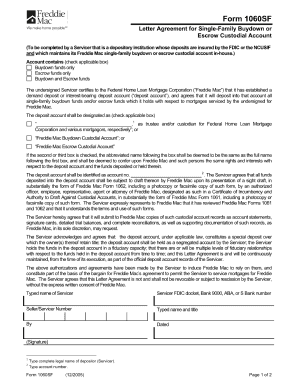
Get Freddie Mac Form 1060sf
How it works
-

Open form follow the instructions
-

Easily sign the form with your finger
-

Send filled & signed form or save
How to fill out the Freddie Mac Form 1060sf online
Filling out the Freddie Mac Form 1060sf online is an essential process for those needing to submit housing finance applications. This guide provides clear instructions to help users navigate each component of the form efficiently.
Follow the steps to complete the form successfully.
- Click 'Get Form' button to access the Freddie Mac Form 1060sf and open it in your online editor.
- Begin with the personal information section. Enter your full name, contact details, and address accurately. Ensure you double-check each entry for any typos.
- Proceed to the financial information section. Here, you will need to provide details about your income, assets, and liabilities. This information is crucial for the assessment of your application.
- Move on to the property information section. Fill in the address of the property that is being financed and any related details, ensuring complete accuracy.
- In the certification section, read the statements carefully. By signing, you confirm that the information provided is truthful and complete. Make sure to sign using your legal name.
- Finally, review all sections for accuracy and completeness. Once you are satisfied with the information you have filled out, you can save changes, download, print, or share the form as needed.
Complete your documentation process online with confidence.
Related links form
CA 800 FC IV-E WDP (1003) Title IV-E Waiver Demonstration Project Addendum - Dss Cahwnet
AD 900A English & Spanish (903) - Statement Of Understanding Independent Adoptions Program
SECTION 11 APPENDIX - Department Of Health Care Services - Dhcs Ca
LIC 195 - Notice Of Operation In Violation Of Law - Dss Cahwnet
There are several requirements: The owner/investor of your loan has to be Fannie Mae or Freddie Mac. ... This is for low-income borrowers. ... You need to have a DTI ratio of 65% or less. ... You have to be current on your mortgage. ... This must be a 1-unit primary residence. ... Your loan has to be a certain age.