Loading
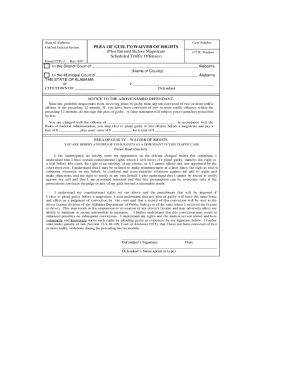
Get Alabama Uniform Traffic Ticket And Complaint
How it works
-

Open form follow the instructions
-

Easily sign the form with your finger
-

Send filled & signed form or save
How to fill out the Alabama Uniform Traffic Ticket and Complaint online
Navigating the Alabama Uniform Traffic Ticket and Complaint can be challenging. This guide provides you with a clear and detailed overview of how to complete the form online, ensuring you have the necessary information to proceed with your case.
Follow the steps to complete the form accurately.
- Click ‘Get Form’ button to obtain the Alabama Uniform Traffic Ticket and Complaint form and open it in your editing software.
- Begin by entering the court case number, which will be provided on your ticket or by the issuing officer. This is typically located at the top of the form.
- Fill in the date of the violation, including the month, day, and year, to specify when the offense took place.
- Complete the personal information section with your first name, middle name, and last name. Ensure that all details match your identification documents.
- Enter your address, including street, city, state, and zip code. Accurate information is crucial for future correspondence related to your case.
- Provide your driver's license number and social security number. Make sure you enter these numbers correctly to avoid delays.
- Indicate the type of vehicle involved in the incident. If necessary, check appropriate boxes to specify if the vehicle was commercial, hazardous material, or private.
- Detail the violation(s) committed. Check the relevant boxes corresponding to the violations listed on the form, specifying any additional details as required.
- Review all entries for accuracy and completeness. Errors may lead to complications in your case.
- Once all information is entered and confirmed, you can save changes, download the completed form, print it for your records, or share it as needed.
Complete your Alabama Uniform Traffic Ticket and Complaint online today for a smoother resolution process.
If you misplaced your ticket, you can look it up using your name. Make sure that both "I want to search by Case Number or Citation Number" and "Citation Number" (circled in red in the picture) are selected (they will appear gray; if one is not gray, click in it to select it and turn it gray).