Loading
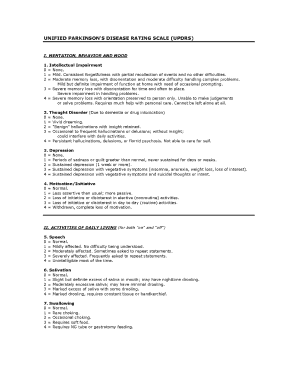
Get Unified Parkinsons Disease Rating Scale Pdf
How it works
-

Open form follow the instructions
-

Easily sign the form with your finger
-

Send filled & signed form or save
How to fill out the Unified Parkinson's Disease Rating Scale Pdf online
The Unified Parkinson's Disease Rating Scale (UPDRS) is a comprehensive tool used to assess the severity and progression of Parkinson's disease. This guide provides step-by-step instructions to help users fill out the form online efficiently and accurately.
Follow these steps to complete the form correctly.
- Click the ‘Get Form’ button to access the form and open it in your preferred online editor.
- Begin by filling in the personal information section that may include your name, date of birth, and contact details. Ensure that all information is correct to avoid discrepancies.
- Proceed to the sections that evaluate motor experiences. Answer each question by selecting the option that best reflects your condition. Be as honest and precise as possible for accurate assessment.
- Next, address the non-motor experiences listed in the form. Similar to the motor section, select the answers that truly represent your current symptoms and experiences.
- Review all responses for accuracy and completeness. Make sure there are no unanswered questions and that your responses align with your experiences.
- After reviewing, you may save your changes, download a copy of the completed form, or print it directly. Support sharing the document through established means if required.
Start completing the Unified Parkinson's Disease Rating Scale Pdf online today!
No specific test exists to diagnose Parkinson's disease. Your doctor trained in nervous system conditions (neurologist) will diagnose Parkinson's disease based on your medical history, a review of your signs and symptoms, and a neurological and physical examination.