Loading
Form preview
  • US Legal Forms
  • Form Library
  • More Forms
  • More Multi-State Forms
  • Tsp 41 Fillable Form

Get Tsp 41 Fillable Form

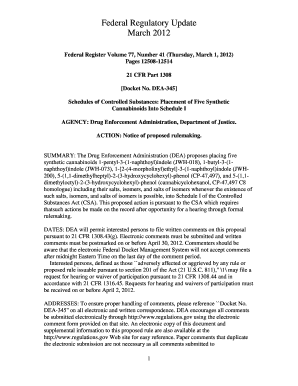
Federal Regulatory Update March 2012 Federal Register Volume 77, Number 41 (Thursday, March 1, 2012) Pages 1250812514 21 CFR Part 1308 Docket No. DEA345 Schedules of Controlled Substances: Placement.

How it works

  1. Open form

    Open form follow the instructions

  2. Easily sign form

    Easily sign the form with your finger

  3. Share form

    Send filled & signed form or save

How to fill out the Tsp 41 Fillable Form online

The Tsp 41 Fillable Form is an essential document for managing retirement savings and investment options. This guide provides you with a step-by-step approach to filling out the form online, ensuring accuracy and ease throughout the process.

Follow the steps to successfully complete the Tsp 41 Fillable Form online.

  1. Press the ‘Get Form’ button to acquire the Tsp 41 Fillable Form and access it in your online editor.
  2. Begin by entering your personal information in the designated fields, including your name, Social Security number, and address.
  3. In the section for your current account details, provide information about your existing accounts and any transfers you wish to initiate.
  4. Proceed to fill out the investment options section, selecting your preferred allocation among different investment funds.
  5. Review any additional options or choices offered in the form, ensuring that you understand how your selections may affect your account.
  6. Once all sections are completed, double-check the information entered for any inaccuracies.
  7. Save your changes in the form, and choose to download, print, or share it as necessary.

Complete your Tsp 41 Fillable Form online today to manage your retirement effectively.

Get form

Experience a faster way to fill out and sign forms on the web. Access the most extensive library of templates available.
Get form

Related content

Forms | Thrift Savings Plan
Complete this checklist and include it with your completed Form TSP-21-R, ... Form TSP-41...
Learn more
Request for Preliminary Employment Data (Fillable...
Please complete this form using the instructions on page 4 and mail to ... 41 A. Is the...
Learn more
Instructions for Form 1040 - UserManual.wiki
Dec 15, 2016 — Fillable Forms is best for people experienced in preparing their own tax...
Learn more

Related links form

Commission - Texas Department Of Transportation - Txdot CITY OF TYLER AND THE TEXAS DEPARTMENT 02-0748 In Re Woman's Hosp. Of Texas, Inc. D/B/A Columbia Woman's Hosp. Of Texas (dissenting) Section 49-n, Article III, Of The Texas Constitution - Texas Department ... - Txdot

Questions & Answers

Get answers to your most pressing questions about US Legal Forms API.

Contact support

To request a TSP withdrawal or distribution after you leave federal service, log in to My Account to begin the request or contact the ThriftLine. Withdrawals and distributions cannot be reversed once they've been processed, so think carefully before you make a move.

SECURE 2.0 increases the start age for required minimum distributions from 72 to 73 in 2023 and then further increases the start age to 75 in 2033. We're continuing to assess how SECURE 2.0 will affect the TSP and will provide updates as more details are finalized.

Notification to TSP of Nonpay Status (TSP-41, for agency use only) (79kb) Agency representatives may use this form to notify the TSP when a participant who has a TSP loan is placed in an approved nonpay status or when a participant who entered nonpay status returns to pay status.

(The most current versions of TSP forms and publications are available on the TSP website at tsp.gov.) To choose your investment fund(s), use the TSP website (tsp.gov) or call the ThriftLine at 1-877-968-3778.

Form TSP 70 is the form you need to fill up and submit when making a request for a full and immediate withdrawal of your entire vested Thrift Savings Plan (TSP) account balance. The TSP 70 form may be used only after you leave federal employment, and your employing agency confirms your separation from Federal service.

Form TSP 70 is the form you need to fill up and submit when making a request for a full and immediate withdrawal of your entire vested Thrift Savings Plan (TSP) account balance. The TSP 70 form may be used only after you leave federal employment, and your employing agency confirms your separation from Federal service.

“Important Tax Information About Payments From Your TSP Account.” Your former agency should have given you these materials when you separated from service. If you do not have these materials, download them from the TSP Web site (.tsp.gov) or ask your former agency for a copy.

Only a Form TSP-3 is valid for designating beneficiaries to your TSP account(s); a will or court order (i.e., divorce decree) is not valid for the disposition of a TSP account. You may, however, designate your estate or a trust as a beneficiary on Form TSP-3.

Get This Form Now!

Use professional pre-built templates to fill in and sign documents online faster. Get access to thousands of forms.
Get form
If you believe that this page should be taken down, please follow our DMCA take down processhere.

Industry-leading security and compliance

US Legal Forms protects your data by complying with industry-specific security standards.
  • In businnes since 1997
    25+ years providing professional legal documents.
  • Accredited business
    Guarantees that a business meets BBB accreditation standards in the US and Canada.
  • Secured by Braintree
    Validated Level 1 PCI DSS compliant payment gateway that accepts most major credit and debit card brands from across the globe.
Get Tsp 41 Fillable Form
Get form
  • Adoption
  • Bankruptcy
  • Contractors
  • Divorce
  • Home Sales
  • Employment
  • Identity Theft
  • Incorporation
  • Landlord Tenant
  • Living Trust
  • Name Change
  • Personal Planning
  • Small Business
  • Wills & Estates
  • Packages A-Z
  • Affidavits
  • Bankruptcy
  • Bill of Sale
  • Corporate - LLC
  • Divorce
  • Employment
  • Identity Theft
  • Internet Technology
  • Landlord Tenant
  • Living Wills
  • Name Change
  • Power of Attorney
  • Real Estate
  • Small Estates
  • Wills
  • All Forms
  • Forms A-Z
  • Form Library
  • Legal Hub
  • About Us
  • Help Portal
  • Legal Resources
  • Blog
  • Affiliates
  • Contact Us
  • Delete My Account
  • Site Map
  • Industries
  • Forms in Spanish
  • Localized Forms
  • State-specific Forms
  • Forms Kit
  • Real Estate Handbook
  • All Guides
  • Notarize
  • Incorporation services
  • For Consumers
  • For Small Business
  • For Attorneys
  • USLegal
  • FormsPass
  • pdfFiller
  • signNow
  • altaFlow
  • DocHub
  • Instapage
Form Packages
  • Adoption
  • Bankruptcy
  • Contractors
  • Divorce
  • Home Sales
  • Employment
  • Identity Theft
  • Incorporation
  • Landlord Tenant
  • Living Trust
  • Name Change
  • Personal Planning
  • Small Business
  • Wills & Estates
  • Packages A-Z
Form Categories
  • Affidavits
  • Bankruptcy
  • Bill of Sale
  • Corporate - LLC
  • Divorce
  • Employment
  • Identity Theft
  • Internet Technology
  • Landlord Tenant
  • Living Wills
  • Name Change
  • Power of Attorney
  • Real Estate
  • Small Estates
  • Wills
  • All Forms
  • Forms A-Z
  • Form Library
Customer Service
  • Legal Hub
  • About Us
  • Help Portal
  • Legal Resources
  • Blog
  • Affiliates
  • Contact Us
  • Delete My Account
  • Site Map
  • Industries
  • Forms in Spanish
  • Localized Forms
  • State-specific Forms
  • Forms Kit
Legal Guides
  • Real Estate Handbook
  • All Guides
Prepared for you
  • Notarize
  • Incorporation services
Our Customers
  • For Consumers
  • For Small Business
  • For Attorneys
Our Sites
  • USLegal
  • FormsPass
  • pdfFiller
  • signNow
  • altaFlow
  • DocHub
  • Instapage
Social Media
Call us now toll free:
+1 833 426 79 33
As seen in:
© Copyright 1999-2026 airSlate Legal Forms, Inc. 3720 Flowood Dr, Flowood, Mississippi 39232
  • Your Privacy Choices
  • Terms of Service
  • Privacy Notice
  • Content Takedown Policy
  • Bug Bounty Program