Loading
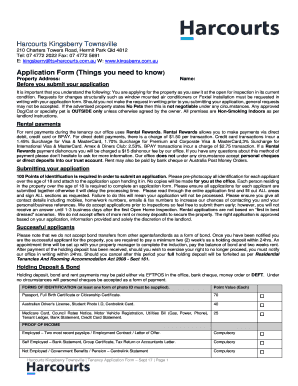
Get Application Form - Harcourts Kingsberry Townsville
How it works
-

Open form follow the instructions
-

Easily sign the form with your finger
-

Send filled & signed form or save
How to fill out the Application Form - Harcourts Kingsberry Townsville online
Completing the Application Form for Harcourts Kingsberry Townsville online is a crucial step in securing your desired rental property. This guide provides clear, step-by-step instructions to help you navigate the form effectively.
Follow the steps to successfully complete your rental application.
- Click the ‘Get Form’ button to obtain the form and open it in your preferred document viewer.
- Begin by entering the property address where you intend to apply for tenancy, along with your name and any other required details in the designated fields.
- Review the important notes regarding submitting your application. Ensure that your application reflects the property’s condition during the inspection. Document any requests for modifications in writing.
- Gather 100 Points of Identification as required. Photocopy identification for each applicant over 18 years and prepare to attach them when submitting the application.
- Detail your current income information and include all forms of proof, such as payslips or bank statements.
- Once satisfied, save your changes. You can then choose to download, print, or share the completed form as required.
Complete your Application Form online today to secure your rental property!