Loading
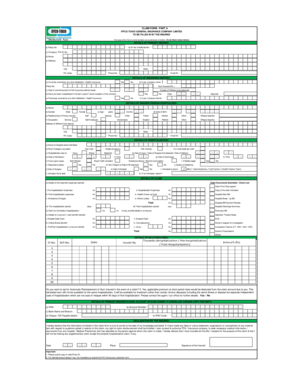
Get Claim Form - Part A Iffco Tokio General Insurance Company
How it works
-

Open form follow the instructions
-

Easily sign the form with your finger
-

Send filled & signed form or save
How to fill out the CLAIM FORM - PART A IFFCO TOKIO GENERAL INSURANCE COMPANY online
Filling out the CLAIM FORM - PART A for IFFCO Tokio General Insurance Company can be a straightforward process when approached step-by-step. This guide will assist you in completing the form accurately and efficiently, ensuring that you provide all necessary information.
Follow the steps to successfully complete the form.
- Click ‘Get Form’ button to obtain the form and open it in your preferred editor.
- Enter your policy number, certificate number, and TPA ID number in the designated fields under 'Details of Primary Insured.' Remember to fill these out using block letters.
- Provide your full name, address, city, state, pin code, phone number, and email ID accurately in the relevant fields.
- Complete the 'Details of Insurance History' section. Indicate whether you are currently covered by any other health insurance, and if yes, provide the name of the company, policy number, and sum insured.
- Answer the questions regarding your hospitalization history over the last four years. Attach copies of previous policies if applicable.
- In the 'Details of Insured Person Hospitalized' section, fill in the necessary details for the person who was hospitalized, including their name, gender, age, relationship to the primary insured, occupation, and date of birth.
- Fill in the hospitalization details such as the name of the hospital, room category, hospitalization cause, and relevant admission and discharge dates, along with times and injury/disease detection dates.
- Provide the details of the treatment expenses you are claiming in the 'Details of Claim' section. List out the expenses, including pre-hospitalization and post-hospitalization costs, with the corresponding amounts.
- Check the checklist for claim documents submitted, ensuring you have included all required documents.
- Complete the 'Details of Primary Insured's Bank Account' section, including PAN, account number, bank name, and branch, along with IFSC code. Remember to submit a canceled cheque.
- Finally, read and sign the declaration by the insured, confirming that the information provided is accurate. Include the date and place.
- Once you have filled out all sections, save your changes, and download or print the completed form for your records.
Start filling out your documents online to ensure a smooth claims process.
Step 1: Intimate IFFCO-Tokio through the toll number - 1800 103 5499 immediately on admission not later than 7 days from the date of discharge. ... Step 2: Avail treatment and settle all the bills with the hospital and then file a claim for reimbursement.
Industry-leading security and compliance
US Legal Forms protects your data by complying with industry-specific security standards.
-
In businnes since 199725+ years providing professional legal documents.
-
Accredited businessGuarantees that a business meets BBB accreditation standards in the US and Canada.
-
Secured by BraintreeValidated Level 1 PCI DSS compliant payment gateway that accepts most major credit and debit card brands from across the globe.