Loading
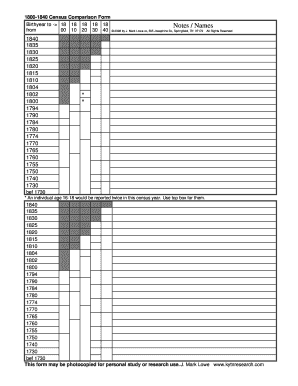
Get Census Comparison Form
How it works
-

Open form follow the instructions
-

Easily sign the form with your finger
-

Send filled & signed form or save
How to fill out the Census Comparison Form online
The Census Comparison Form serves as a valuable tool for individuals conducting genealogical research or comparing census data. This guide will provide you with step-by-step instructions on how to effectively complete this form online.
Follow the steps to accurately fill out the Census Comparison Form.
- To begin, press the ‘Get Form’ button to obtain the form and open it in your preferred online editor.
- Review the introductory section of the form where you will input the birth year. Use the fields labeled with years from 1800 to 1840 to record the relevant birth years for individuals you are researching.
- In the ‘Notes / Names’ section, provide the names of the individuals alongside their corresponding birth years. Ensure you are clear and concise to avoid ambiguities.
- For individuals aged 16 to 18 during the specified census years, make sure to enter their names in the top box designated for such age groups, as they are to be reported twice.
- After you have filled in all necessary fields, review the information entered for accuracy. Make any needed corrections to ensure the data is correct.
- Once you are satisfied with the completed form, you can easily save your changes, download the document, print a hard copy, or share it as needed.
Start filling out your Census Comparison Form online today to enhance your genealogical research!
Follow these steps to convert a PDF to a PNG file. Navigate to the Convert PDF page on Adobe Acrobat online. Click the blue button labeled “Select a file” or drag and drop the file into the drop zone to upload your PDF. Choose PNG from the file format drop-down menu. Or choose JPG or TIFF instead, if you wish.