Loading
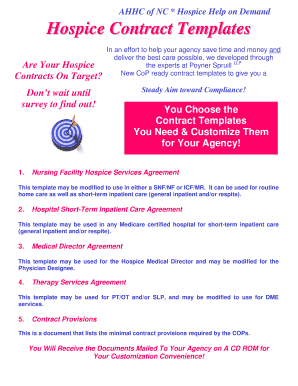
Get Hospice Contract Templates
How it works
-

Open form follow the instructions
-

Easily sign the form with your finger
-

Send filled & signed form or save
How to fill out the Hospice Contract Templates online
Filling out the Hospice Contract Templates online is a straightforward process that ensures your agency has the necessary agreements in place. This guide will provide clear and supportive instructions to help you navigate the form and customize the templates to meet your agency's needs.
Follow the steps to complete the Hospice Contract Templates accurately
- Click ‘Get Form’ button to access the Hospice Contract Templates. This will allow you to open the document in your preferred online editor.
- Begin by filling out the contact information section, including your contact name, agency name, and mailing address. Ensure that every field is completed clearly to prevent delays.
- Select the specific template(s) you wish to order by checking the boxes next to Nursing Facility Hospice Services Agreement, Hospital Short-Term Inpatient Care Agreement, Medical Director Agreement, Therapy Services Agreement, or Contract Provisions.
- Complete the payment section by indicating whether you are paying by check or credit card. If using a credit card, fill in your card details accurately, including the card number, expiration date, and security code.
- Review your completed form to ensure all information is accurate and legible. Mistakes can cause processing delays.
- Submit your order by either mailing the form to the specified address or faxing it, based on your payment method. Make sure to keep a copy for your records.
- After submission, you will receive a confirmation email once your order is processed, providing peace of mind that your templates are on the way.
- After receiving your templates, customize them as needed for your agency’s operations and services.
Start filling out your Hospice Contract Templates online today to ensure compliance and efficient service delivery.
Alternatively, press Alt+G (Go To) > type or select Voucher Verification > and press Enter. The Forex Transactions report in TallyPrime displays the Name of the Voucher Type, Type of Voucher, Total Vouchers for each Voucher Type, Forex Vouchers for each Voucher Type and count for Verified Vouchers.