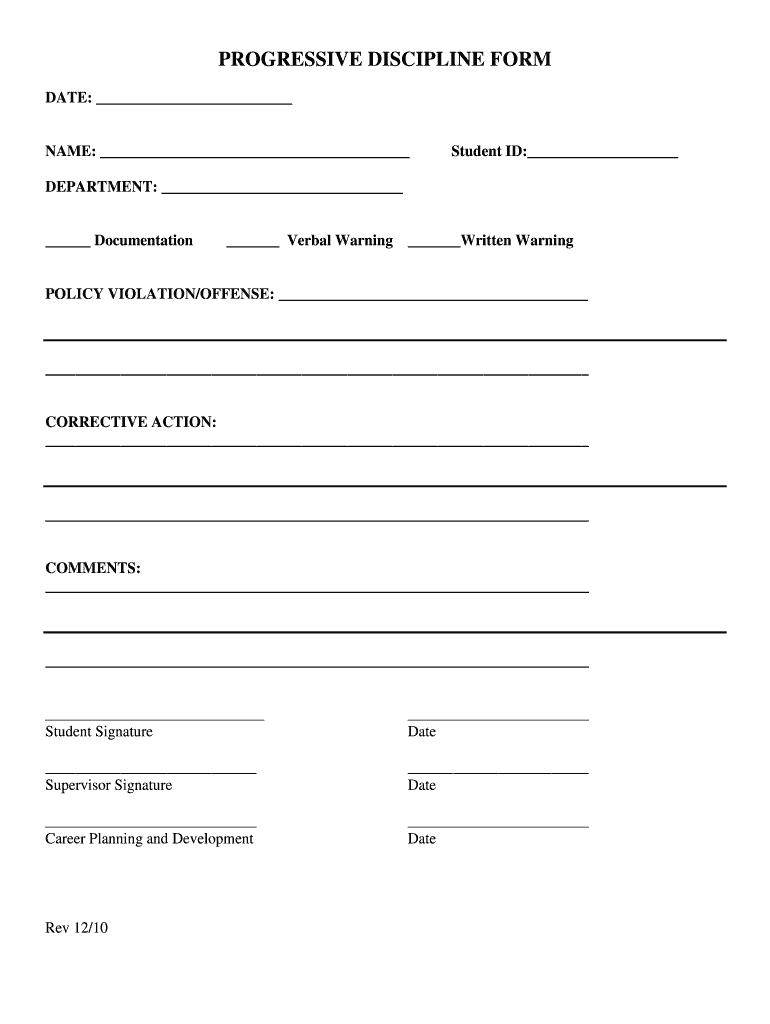
Documentation Verbal Warning Written Warning POLICY VIOLATION/OFFENSE: CORRECTIVE ACTION: COMMENTS:.

Open form follow the instructions

Easily sign the form with your finger

Send filled & signed form or save
How to fill out the Progressive Discipline Forms online
Filling out the Progressive Discipline Forms online is an important process that ensures a clear record of disciplinary actions. This guide provides step-by-step instructions to help you complete the form accurately and effectively.
Follow the steps to fill out the Progressive Discipline Forms online
- Click ‘Get Form’ button to obtain the form and open it in the editor.
- Begin by entering the date at the top of the form in the designated space.
- Fill in the student's full name in the 'Name' field.
- Provide the student ID number in the corresponding field.
- Indicate the department by writing its name in the 'Department' section.
- Select the type of documentation you are filing by checking the appropriate box for 'Verbal Warning' or 'Written Warning'.
- Clearly state the policy violation or offense in the space provided. Be specific and concise.
- Outline the corrective action that will be taken to address the violation in the designated area.
- Use the comments section for any additional notes or clarifications regarding the situation.
- Have the student sign and date the form in the indicated fields.
- Ensure that the supervisor signs and dates the form to validate the documentation.
- If applicable, include a signature and date from 'Career Planning and Development'.
- After completing the form, save your changes, download the document, print it, or share it as necessary.
Complete your Progressive Discipline Forms online today to ensure a thorough documentation process.
Experience a faster way to fill out and sign forms on the web. Access the most extensive library of templates available.
Related content
Forms are provided as Word documents to be fully editable. Microsoft Word file...
Previous Warning: 1st Warning. Date. Verbal. Employee Signature. Date. Written. Previous...
Dismissal is the termination of employment by an employer against the will of the...
Get answers to your most pressing questions about US Legal Forms API.
What are the three levels of progressive discipline?
3 levels of progressive discipline Verbal warning. A verbal warning occurs when a manager or supervisor notifies the employee of the need for improvement. ... Written warning. ... Final course of action.
What is a progressive discipline form?
Progressive discipline is the process of using increasingly severe steps or measures when an employee fails to correct a problem after being given a reasonable opportunity to do so.
What are best practices for progressive discipline?
When implementing a progressive discipline policy, employers should follow best practices, including: Be accurate. ... Be informed. ... Be fair. ... Be consistent. ... Be complete. ... Be explicit. ... Be aware of all potentially relevant information. ... Obtain employee input and acknowledgment.
What is a typical progressive disciplinary process?
The progressive discipline process is designed to give an employee: notice that job performance is not meeting expectations or needs improvement, opportunities to improve job performance, and. information concerning what to expect if performance does not improve.
What are the examples for the progressive discipline?
Employer checklist for progressive discipline Communicate clearly job expectations to all employees. Bring unacceptable work to the attention of the employee promptly. Provide reasonable supervision, training and instruction. Give reasonable warning that failure to meet these expectations could result in dismissal.
How do you write progressive discipline?
Progressive Discipline: The 4-Step Approach Step 1: Verbal Warning. The first step in a progressive discipline policy is to discuss the employee's poor performance or behavior with them. ... Step 2: Written Warning. ... Step 3: Final Written Warning. ... Step 4: Termination. ... Appeals. ... Progressive Discipline Steps. ... Disclaimer. ... Exceptions.
What are the five steps in progressive discipline?
There are five steps that can be taken in the progressive discipline process: Coaching Note (AKA Verbal Warning) Written Warning. Final Warning. Decision Day/Suspension. Separation.
What are the 4 steps of progressive discipline?
The progressive discipline process is designed to give an employee: notice that job performance is not meeting expectations or needs improvement, opportunities to improve job performance, and....The 4-Step Progressive Discipline Template Step 1: Verbal Warning. ... Step 2: Written Warning. ... Step 3: Suspension. ... Step 4: Termination.
Use professional pre-built templates to fill in and sign documents online faster. Get access to thousands of forms.
If you believe that this page should be taken down, please follow our DMCA take down process here.