Ability and that I have not and will not withhold any information that would unfavorably affect my application for a volunteer position. I understand that misrepresentations or omissions may be cause for my immediate rejection as an applicant for a volunteer position with Trinitas Regional Medical Center or my termination as a volunteer. I give Trinitas Regional Medical Center ( TRMC ), Elizabeth, NJ, my consent to photograph, record, or film/videotape me/my child ( photograph ), or to.
Loading

Open form follow the instructions

Easily sign the form with your finger

Send filled & signed form or save
How to fill out the Hospital Note online
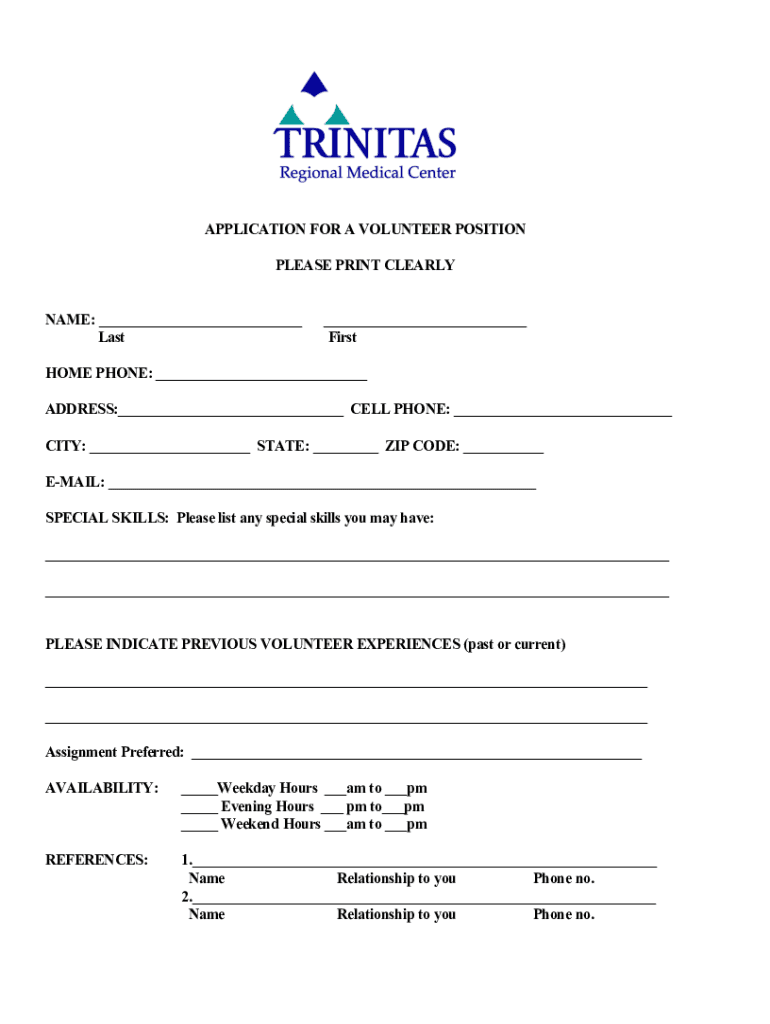
Completing the Hospital Note online is a vital step for individuals interested in volunteering at Trinitas Regional Medical Center. This guide will walk you through each section of the form, ensuring you provide the necessary information correctly and efficiently.
Follow the steps to complete your Hospital Note online.
- Press the ‘Get Form’ button to obtain the Hospital Note and open it in your preferred editor.
- Fill in your name in the designated areas provided for your last and first name. Ensure clarity to facilitate identification.
- Provide your home phone number and cell phone number in the appropriate fields. This allows for easy contact regarding your volunteer application.
- Enter your complete home address, including city, state, and zip code, to verify your contact information.
- Include your email address. This will be essential for further communication concerning your application.
- List any special skills you possess in the ‘Special Skills’ section. Highlight relevant abilities that may contribute to your volunteer role.
- Indicate your previous volunteer experiences, mentioning the organizations and your roles to demonstrate your background.
- State your preferred assignment by filling in the section marked ‘Assignment Preferred.’ Be clear about your interests.
- Complete the availability section by checking the relevant boxes and filling in the time slots you can commit to volunteering.
- Provide references, listing two individuals with their names, relationships to you, and phone numbers. Make sure to ask for their permission beforehand.
- Detail your highest level of education by describing the completed degrees or certifications.
- Explain why you want to volunteer in the designated section. This personal touch may enhance your application.
- Fill in information about your interests, skills, and hobbies, helping the volunteer coordinators understand your personality.
- In the emergency contact section, fill in the name, relationship, address, and phone number of the person to be contacted.
- Answer the questions regarding previous employment with Trinitas and any criminal convictions truthfully as instructed.
- Read and ensure you understand all statements regarding the application process. Then, provide your signature and the date to confirm your agreement.
- If applicable, have the health certificate filled out by a physician before finalizing your application.
- Once the form is completed, save your changes, and then download, print, or share the form as needed.
Begin completing your Hospital Note online today to take the first step in your volunteering journey!
Experience a faster way to fill out and sign forms on the web. Access the most extensive library of templates available.
Related content
A note to hospitals describing how to correct data issues on Hospital Compare.
Hospital Forms. ULP Upper Endoscopy Billing Form 2018[22310] · ULP Lower Endoscopy...
The SOAP note is a method of documentation employed by healthcare providers to write out...
Get answers to your most pressing questions about US Legal Forms API.
How do you write medical notes?
Open clinical notes Be clear and succinct. Directly and respectfully address concerns. Use supportive language. Include patients in the note-writing process. Encourage patients to read their notes. Ask for and use feedback. Be familiar with how to amend notes.
How do I get a sick note from the hospital?
If you need a fit note, contact the healthcare professional treating you. They will tell you whether you should make an appointment to see them or book a phone consultation. A healthcare professional can give you a fit note on the day they assess you or at any time after the assessment.
How many days can you call in sick without a doctor's note in California?
Can my employer require a doctor's note? Your employer can require a doctor's note if you take three sick days in a row.
What is a doctor's note called?
A sick note is an official note signed by a doctor which states that someone is ill and needs to stay off work for a particular period of time.
What is a note in a hospital?
A Discharge Summary note is a synopsis of a patient's admission and course in a hospital or post-acute care setting. A History & Physical note documents the current and past conditions of the patient.
How do I get a sick note for stress?
Contact your GP as soon as you know you'll need a fit note, and get the first appointment you can. Be honest and forward when answering their questions, so they can build a truthful picture of your issues. If your doctor decides your problems affect your fitness for work, they can issue a fit note.
What is a medical excuse note from a doctor?
What is a doctor's note? A doctor's note is a written notice from a qualified healthcare provider that outlines basic information about a medical condition, such as an illness or injury. The note may excuse the patient from work entirely or indicate what duties they cannot perform due to a medical condition.
What is a DR note for hospital stay?
A medical note is considered an official medical certificate that documents the presence of an illness or injury and authorizes the individual to take time off to recover. Our free doctor note templates allow you to quickly create a doctor form that can serve as an absence authorization.
Use professional pre-built templates to fill in and sign documents online faster. Get access to thousands of forms.
If you believe that this page should be taken down, please follow our DMCA take down process here.