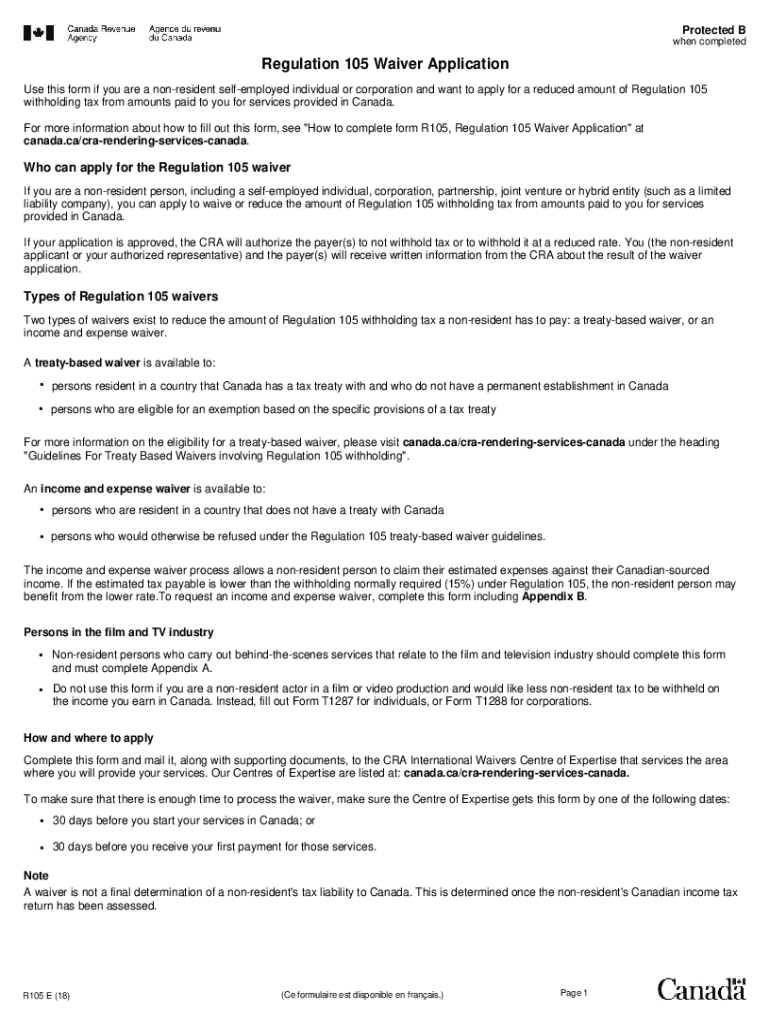
Ding tax from amounts paid to you for services provided in Canada. For more information about how to fill out this form, see "How to complete form R105, Regulation 105 Waiver Application" at canada.ca/cra-rendering-services-canada. Who can apply for the Regulation 105 waiver If you are a non-resident person, including a self-employed individual, corporation, partnership, joint venture or hybrid entity (such as a limited liability company), you can apply to waive or reduce the amount of Regulati.

Open form follow the instructions

Easily sign the form with your finger

Send filled & signed form or save
How to fill out the Canada R105 E online
This guide provides clear, step-by-step instructions for completing the Canada R105 E form online. It is intended to help non-resident self-employed individuals and corporations apply for a reduced Regulation 105 withholding tax from payments for services rendered in Canada.
Follow the steps to successfully complete the Canada R105 E form online.
- Press the ‘Get Form’ button to access the form and open it in your browser or preferred editing tool.
- Complete Section I – Applicant identification. Provide your Canadian Individual Tax Number (ITN), Canadian Business Number (BN), Social Insurance Number (SIN), date of birth, legal name, and professional name if applicable. Ensure that your mailing address and country of permanent residence are clearly indicated.
- Specify your type as an applicant in Section I. Check the appropriate box that describes whether you are a member of a band, an individual artist, or any other relevant category. Include your industry type, selecting from the available options.
- In Section II – Current Payer Information, provide details for each payer involved. This includes the name, Canadian business number (BN), mailing address, and contact person's telephone number. Additionally, fill in information concerning your arrival and departure dates, contract amount, service location, and any additional payments or reimbursements.
- In Section III – Representative Information, if applicable, indicate whether you want correspondence sent to a representative. If yes, fill in their name and contact information.
- Complete Section IV – Declaration of country of residence and entitlement to tax treaty benefits. Certify the information you have provided and ensure you review and confirm that it is accurate.
- If applicable, fill out Appendix A for Film and Television Industry payer information or Appendix B for Income and Expense Worksheet as detailed. Provide all required figures and information as instructed.
- After completing all sections, review the form for accuracy. Save your changes and proceed to download, print, or share the completed form as necessary. Ensure to submit the form and any supporting documents to the appropriate CRA International Waivers Centre.
Complete your Canada R105 E form online today to streamline your application for a reduced withholding tax.
Experience a faster way to fill out and sign forms on the web. Access the most extensive library of templates available.
Related content
Jun 2, 2020 - Oregon Structural Specialty Code, 2014 and R101.2 and R105 of the ... (e)...
Each issue of the Journal is published simultaneously in print and electronic versions; it...
Tel: (203) 359-1660. FAX: (203) 359-7700 e-mail: info@omega.com. Canada: ... R105...
Use professional pre-built templates to fill in and sign documents online faster. Get access to thousands of forms.
If you believe that this page should be taken down, please follow our DMCA take down process here.