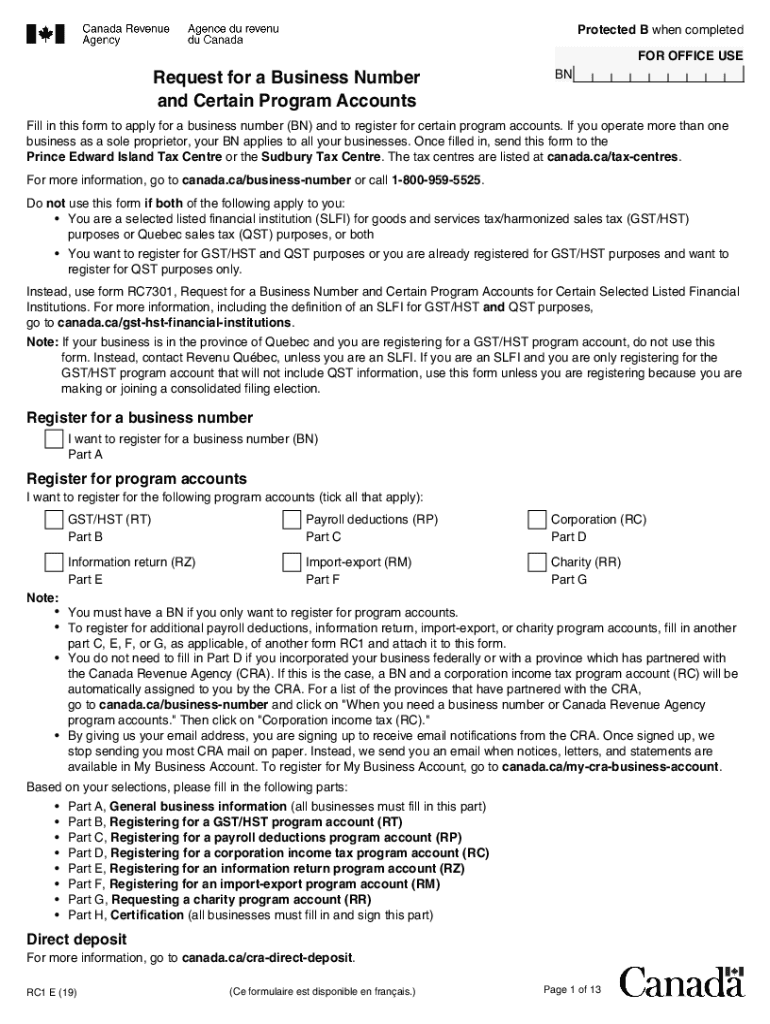
Protected B when completed FOR OFFICE USERequest for a Business Number and Certain Program AccountsBNFill in this form to apply for a business number (BN) and to register for certain program accounts.
Loading

Open form follow the instructions

Easily sign the form with your finger

Send filled & signed form or save
How to fill out the Canada RC1 E online
Filling out the Canada RC1 E form online is a vital step for individuals and businesses seeking to apply for a business number and register for various program accounts. This guide will provide you with clear, step-by-step instructions to ensure your form is completed accurately and efficiently.
Follow the steps to successfully complete your Canada RC1 E form online.
- Click the ‘Get Form’ button to obtain the form and open it in the editor.
- Begin by completing Part A, which requires you to provide general business information. Indicate your ownership type, whether you are incorporated, and describe your major business activity.
- Fill in Part A2 with the owners' details, including first names, last names, and social insurance numbers if applicable.
- In Part A3, supply the business name, business number, physical business location, and mailing address if it differs from the physical location.
- Continue with Part A4 by describing your major business activity in detail, and specify up to three main products or services offered.
- For Part A5, answer questions regarding GST/HST information, indicating whether you provide services in Canada and your total annual revenues.
- If required, proceed to Part B to register for a GST/HST program account. Fill out your program account identification and specify your filing information.
- In Part C, complete the details for payroll deductions by filling out both C1 and C2 if applicable. Provide information on payment types and frequency.
- Continue to Parts D, E, F, and G as needed for corporation income tax, information returns, import-export, and charity program accounts respectively.
- Finally, complete Part H by certifying the information provided, making sure to sign and date the form.
- Once all sections are filled out, you can save your changes, download the form for your records, print, or share as necessary.
Complete your Canada RC1 E form online today to ensure your business is registered correctly.
Experience a faster way to fill out and sign forms on the web. Access the most extensive library of templates available.
Related content
Dec 19, 2014 — Canada's Import Notification Requirements and Electronic Data ... BN...
will have only one node equation for node at point E with a voltage vo: ... into by...
e-mail: info@omega.com. Canada: 976 Bergar. Laval (Quebec) H7L 5A1, Canada ... Since this...
Use professional pre-built templates to fill in and sign documents online faster. Get access to thousands of forms.
If you believe that this page should be taken down, please follow our DMCA take down process here.