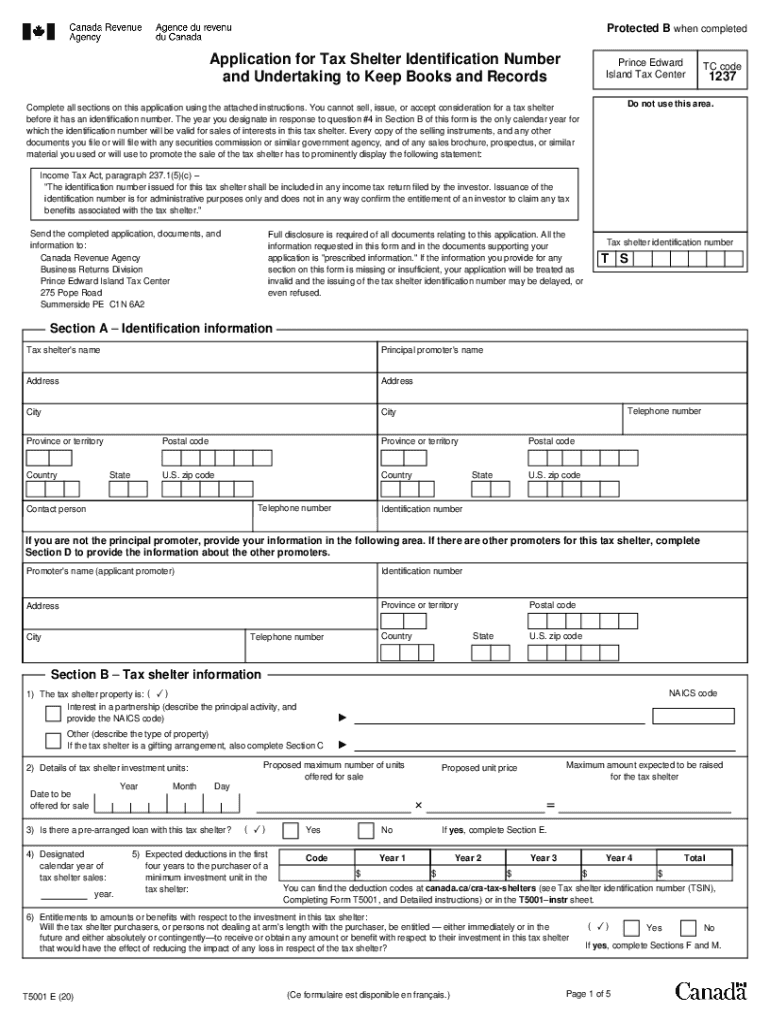
All sections on this application using the attached instructions. You cannot sell, issue, or accept consideration for a tax shelter before it has an identification number. The year you designate in response to question #4 in Section B of this form is the only calendar year for which the identification number will be valid for sales of interests in this tax shelter. Every copy of the selling instruments, and any other documents you file or will file with any securities commission or similar gover.
Loading

Open form follow the instructions

Easily sign the form with your finger

Send filled & signed form or save
How to fill out the Canada T5001 online
Filling out the Canada T5001 form can seem daunting, but with clear guidance, you can complete it accurately and efficiently. This guide will walk you through each step of the process to ensure your application for a tax shelter identification number is complete.
Follow the steps to successfully complete the T5001 form online.
- Click the 'Get Form' button to obtain the form and open it in your preferred editing software.
- Begin by filling out Section A, which includes identification information. Make sure to provide the tax shelter's name, principal promoter's name, addresses, and contact numbers.
- Moving on to Section B, you will provide details about the tax shelter information. Answer questions about the type of tax shelter property, expected number of units, and whether there are pre-arranged loans.
- If applicable, complete Section C with information regarding gifting arrangements, including expected cash payments and donation receipts.
- In Section D, if there are other promoters, provide their details as requested.
- Proceed to Section E for financing information and Section F for entitlements to amounts or benefits, making sure to attach any required additional documents.
- Fill out Section G if there is any security deposit or investment information, followed by Sections H and I for trust and purchase details respectively.
- Next, Section J requires valuation and appraisal information, which must be filled out if applicable.
- After completing the form, review Sections K to O for promotional materials and certifications. Ensure that you sign and date where required.
- Finally, save your changes, and choose to download, print, or share the completed form as necessary to complete the submission process.
Take the first step in managing your digital documents by completing the Canada T5001 form online today.
Experience a faster way to fill out and sign forms on the web. Access the most extensive library of templates available.
Related content
also be included on the CMS 1500 claim form in field 30 for all paper claims...
248, Edmonton, Canada, July 2002. [MTV94] H. Mannila, H. Toivonen, and A. I. Verkamo...
User manual instruction guide for Bluetooth Location Finder T5001 Tile, Inc.. Setup...
Use professional pre-built templates to fill in and sign documents online faster. Get access to thousands of forms.
If you believe that this page should be taken down, please follow our DMCA take down process here.
This form is available in several versions. Select the version you need from the drop-down list below.