Loading
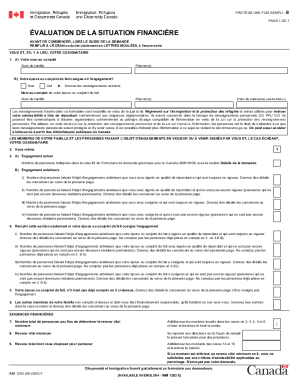
Get Canada Imm 1283 F 2020-2026
How it works
-

Open form follow the instructions
-

Easily sign the form with your finger
-

Send filled & signed form or save
How to fill out the Canada IMM 1283 F online
The Canada IMM 1283 F form is essential for individuals looking to provide financial support for permanent residency applications in Canada. This guide will walk you through each step of filling out the form online, ensuring you provide the necessary information accurately and completely.
Follow the steps to successfully complete your IMM 1283 F form online
- Press the ‘Get Form’ button to access the Canada IMM 1283 F form and open it in your preferred editing tool.
- Begin by entering your full name in the designated fields. Make sure to fill in your last name followed by your first name clearly.
- Indicate if your partner or co-signer is signing the commitment by selecting 'Yes' or 'No.' If applicable, provide their full name and date of birth.
- Section one requires you to provide details about your family members that are financially dependent on you. Fill in the number and details of those individuals.
- In section two, you will need to indicate your current employment status. Choose from options such as 'Employed,' 'Self-Employed,' or 'Unemployed,' and provide relevant details about your income.
- Calculate your total income by carefully following the instructions in the corresponding sections of the form. Make sure to provide clear entries for any additional income sources.
- Review all the information entered to ensure accuracy. Check for any missing details that may hinder the processing of your application.
- Once completed, save your changes. You can download, print, or share the IMM 1283 F form as needed.
Take the next step in your residency application by completing the Canada IMM 1283 F form online today.