Loading
Get Canada Sst-noa-gd-is 2020-2026
How it works
-

Open form follow the instructions
-

Easily sign the form with your finger
-

Send filled & signed form or save
How to fill out the Canada SST-NOA-GD-IS online
The Canada SST-NOA-GD-IS form is essential for individuals seeking to appeal decisions regarding the Canada Pension Plan or Old Age Security. This guide provides a straightforward, step-by-step process to assist users in filling out the form accurately and effectively online.
Follow the steps to complete the Canada SST-NOA-GD-IS form.
- Press the ‘Get Form’ button to access the form and open it in your preferred document editor.
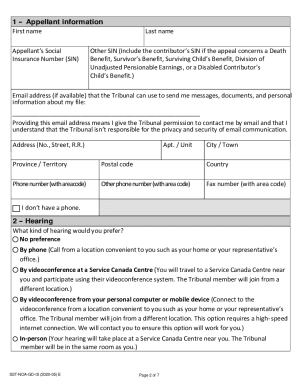
- Fill in your personal information in the 'Appellant information' section, including your first and last name, Social Insurance Number (SIN), email address, and contact details.
- Indicate your preferred method of hearing in the 'Hearing' section. Choose from options such as by phone, videoconference, or in-person.
- Select your language preference for the hearing in the 'Language' section. If needed, specify if you require an interpreter.
- If you have any accessibility needs, fill out the 'Accessibility' section to request necessary arrangements.
- Attach a copy of your reconsideration decision and indicate the date received in the 'Reconsideration decision' section.
- Provide reasons for your appeal in the 'Reason(s) for your appeal' section. Be clear and concise, adding extra pages if needed.
- If applicable, include any supporting documents such as medical reports or employment documents in the 'Documents to support your appeal' section.
- If your appeal is late, explain why in the 'Late appeal' section, providing any relevant details that the Tribunal should consider.
- If you have a representative, fill out the 'Representative information' section with their details.
- Finally, read the declaration and sign it, ensuring that all information provided is accurate.
- Submit your completed form and any attached documents via email, fax, or mail to the appropriate agency.
Start filling out the Canada SST-NOA-GD-IS form online to ensure your appeal is submitted on time.