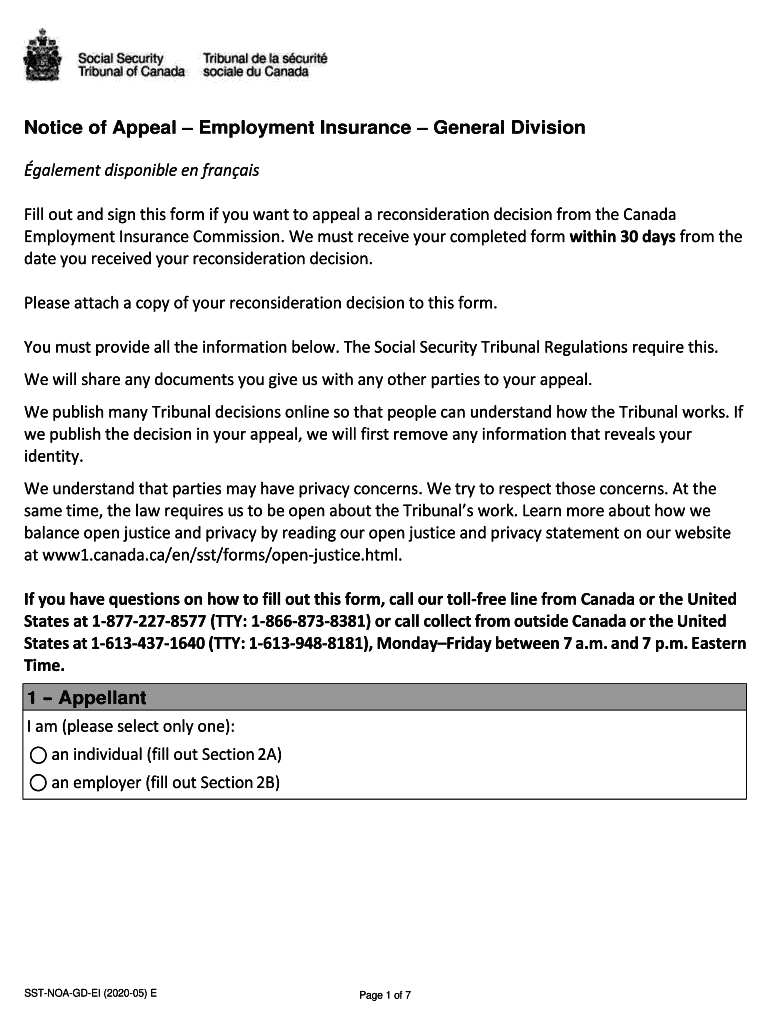
Nt Insurance Commission. We must receive your completed form within 30 days from the date you received your reconsideration decision. Please attach a copy of your reconsideration decision to this form. You must provide all the information below. The Social Security Tribunal Regulations require this. We will share any documents you give us with any other parties to your appeal. We publish many Tribunal decisions online so that people can understand how the Tribunal works. If we publish the decisi.
Loading

Open form follow the instructions

Easily sign the form with your finger

Send filled & signed form or save
How to fill out the Canada SST-NOA-GD-EI online
Filling out the Canada SST-NOA-GD-EI form online is a crucial step in appealing a reconsideration decision regarding Employment Insurance. This comprehensive guide will provide clear instructions to help you navigate each section of the form with ease.
Follow the steps to successfully complete your appeal form.
- Click ‘Get Form’ button to obtain the form and open it in the editor.
- Begin by identifying yourself as either an individual or an employer. Select the appropriate option at the top of the form. If you identify as an individual, fill out Section 2A; if as an employer, complete Section 2B.
- In Section 2, provide your first name, last name, and Social Insurance Number (SIN) for individuals or the full business name and Canada Revenue Agency business number for employers. Include the name of the employee/former employee related to this appeal, if applicable.
- Indicate your preferred method of hearing in Section 3, selecting either phone, videoconference, or in-person, and provide any specific details required.
- Select your preferred language for the hearing in Section 4 and specify if you need an interpreter.
- In Section 5, outline any accessibility needs you may have to ensure equal participation during the proceedings.
- In Section 6, confirm that you are attaching a copy of your reconsideration decision and note the date you received it.
- Detail your reasons for appealing the reconsideration decision in Section 7, providing a clear explanation of your disagreements and the supporting rationale.
- Add any supporting documents as outlined in Section 8. This may include pay stubs, medical reports, or employment contracts, among others.
- If applicable, address late appeals in Section 9, providing a justified explanation as to why your appeal was submitted beyond the typical 30-day window.
- If you have a representative, indicate this in Section 10 and supply their details. If not, proceed to Section 11.
- In Section 11, provide your signature, confirming the accuracy of the information provided and authorizing communication with your representative, if you have one.
- Once all sections are complete, review the form for accuracy and clarity. Save your changes and ensure all necessary documents are attached before submitting.
To ensure your appeal is properly submitted, complete your forms online today.
Experience a faster way to fill out and sign forms on the web. Access the most extensive library of templates available.
Related content
NOAA United States Department of Commerce · NATIONAL HURRICANE CENTER and. CENTRAL...
ON PERMAFROST. JULY 10-13, 1978. EDMONTON, ALBERTA, CANADA. VOL. 2. SPONSORED BY. THE...
802 IMKGH) 41) (NOAMALI ... necessary if FM generator has built in sweep; i.e. SOUND...
Use professional pre-built templates to fill in and sign documents online faster. Get access to thousands of forms.
If you believe that this page should be taken down, please follow our DMCA take down process here.