Loading
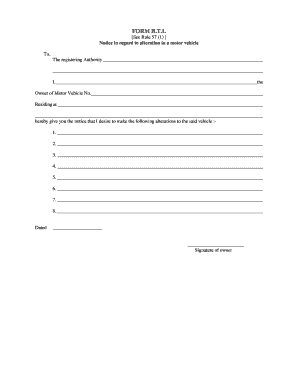
Get See Rule 57 (1) Notice In Regard To Alteration In A Motor Vehicle To, The Registering Authority I
How it works
-

Open form follow the instructions
-

Easily sign the form with your finger
-

Send filled & signed form or save
How to fill out the See Rule 57 (1) Notice In Regard To Alteration In A Motor Vehicle To, The Registering Authority I online
This guide provides clear and supportive instructions for filling out the See Rule 57 (1) Notice In Regard To Alteration In A Motor Vehicle To, The Registering Authority I form online. Whether you are making minor changes or significant alterations, this step-by-step guide will assist you in completing the process efficiently.
Follow the steps to fill out the form accurately and effectively.
- Press the ‘Get Form’ button to access the form and open it in a suitable editor for completion.
- In the first section, provide the name of the registering authority to whom you are submitting the notice. Ensure you write this clearly and accurately.
- Next, enter your full name as the owner of the motor vehicle. It's important to provide the exact name that matches the vehicle registration documents.
- Fill in your vehicle registration number in the specified field to identify your vehicle uniquely.
- Provide your residential address in the designated area to confirm your contact information.
- In the alterations section, list each desired change to the vehicle. Number each alteration clearly, and provide sufficient detail for the registering authority to understand the changes intended.
- Sign and date the form at the bottom. Ensure that your signature is legible and that you date the form correctly.
- Finally, review all information for accuracy. Once confirmed, you can save your changes, download the completed form, print it for your records, or share it as needed.
Start filling out your document online today for a smooth alteration process.
An origin identifies a specific entry point for online or batch entry, such as a department, division, company, or specific user. An origin also stores validation rules and default information, which provide additional voucher entry controls. In PeopleSoft Payables, each user ID is associated with a valid origin.
Industry-leading security and compliance
US Legal Forms protects your data by complying with industry-specific security standards.
-
In businnes since 199725+ years providing professional legal documents.
-
Accredited businessGuarantees that a business meets BBB accreditation standards in the US and Canada.
-
Secured by BraintreeValidated Level 1 PCI DSS compliant payment gateway that accepts most major credit and debit card brands from across the globe.