Loading
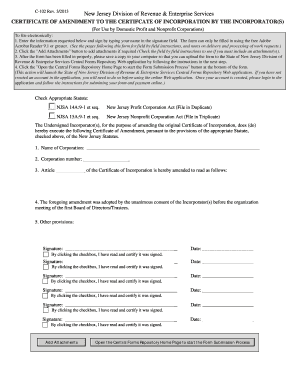
Get C-102 - Central Forms Repository & Payment Collection System
How it works
-

Open form follow the instructions
-

Easily sign the form with your finger
-

Send filled & signed form or save
How to use or fill out the C-102 - Central Forms Repository & Payment Collection System online
Filling out the C-102 form, known as the Certificate of Amendment to the Certificate of Incorporation, is a crucial process for domestic profit and nonprofit corporations. This guide will provide you with step-by-step instructions to complete the form online effectively.
Follow the steps to fill out the C-102 form online.
- Click the ‘Get Form’ button to access the form and open it for editing.
- Enter the required information in the corresponding fields. You will need to provide the following: the name of your corporation as it appears on the State Treasurer's records, and your ten-digit business ID number.
- Specify that the amendment was adopted by the unanimous consent of all original incorporators. This statement is pre-filled in the form for your convenience.
- Have all incorporators sign the document electronically. Ensure that the date of execution is recorded correctly.
- Once you have filled everything out, save a copy of the form to your computer. This will be necessary for submission.
Complete your documents online to ensure a smooth filing process.
When the full purchase price, including any interest, has been paid, the seller is obligated to sign a deed (See: Deed) to convey legal title to the property to the buyer. Contract for deed also usually requires the buyer to make an initial down payment to the seller.