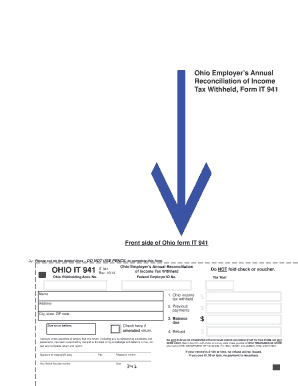
Ohio Employers Annual Reconciliation of Income Tax Withheld, Form IT 941Front side of Ohio form IT 941 Reset Form Please cut on the dotted lines DO NOT USE PENCIL to complete this form.OHIO IT 941IT.
Open form follow the instructions
Easily sign the form with your finger
Send filled & signed form or save
How to fill out the Ohio Employer’s Annual Reconciliation of Income Tax Withheld online
Filling out the Ohio Employer’s Annual Reconciliation of Income Tax Withheld, Form IT 941, is an essential task for employers in Ohio. This guide provides step-by-step instructions to help users complete the form accurately and efficiently.
Follow the steps to complete the form online with confidence.
- Click ‘Get Form’ button to obtain the form and open it for editing.
- Begin by entering your Ohio withholding account number. This number is unique to your business and is necessary for tax identification.
- Next, fill in your name and address, including city, state, and ZIP code. It is important to ensure that this information is current and accurate.
- Enter your Federal Employer Identification Number (EIN). This number is required for federal tax reporting.
- Indicate if you are submitting an amended return by checking the appropriate box if necessary.
- In the designated section, declare under penalties of perjury that the information provided is true and complete. Ensure that the signature is from a responsible party, and include their title and telephone number.
- Input your Social Security number in the provided field.
- Complete the financial sections, including Ohio income tax withheld for the year, previous payments made, balance due, and any refund amount.
- For payment submission, do not staple or attach the check to the form. Ensure that payment is made to the Ohio Treasurer of State and it is mailed to the appropriate address.
- Finally, after reviewing all information for accuracy, you can save changes, download, print, or share the completed form as necessary.
Complete your tax forms online to ensure accuracy and compliance.
Experience a faster way to fill out and sign forms on the web. Access the most extensive library of templates available.
Related content
The Ohio Department of Taxation is dedicated to providing quality and responsive service...
School District Income Tax. This site provides Ohio public school district income tax...
purchase to the State of Ohio and also be responsible for paying that sales tax (or use...
Get answers to your most pressing questions about US Legal Forms API.
When can I file my Ohio State taxes?
An Ohio State Income Tax Return for Tax Year 2020 (January 1 - Dec. 31, 2020) can be completed and e-Filed now along with an IRS or Federal Income Tax Return (or you can learn how to complete and file only an OH state return). The latest deadline for e-filing Ohio State Tax Returns is April 15, 2021.
How do I file my Kentucky state taxes for free?
Select the Kentucky income tax forms and schedules that fit your filing needs. Fill in your tax information online. Perform basic mathematical calculations. Electronically sign and e-file your Kentucky tax return. Print your tax return for record keeping and filing.
How do I file my Ohio State taxes for free?
Electronic filing options Online services is a free, secure electronic portal where you can file returns, make payments, and view additional information regarding your Ohio individual and school district income taxes.
What are the tax and title fees in Ohio?
Ohio collects a 5.75% state sales tax rate on the purchase of all vehicles. There are also county taxes that can be as high as 2%. Some dealerships may also charge a 199 dollar documentary service fee. In addition to taxes, car purchases in Ohio may be subject to other fees like registration, title, and plate fees.
What is the Ohio sales tax rate for 2019?
The state general sales tax rate of Ohio is 5.75%. Ohio cities and/or municipalities don't have a city sales tax.
What is the sales tax in Ohio 2019?
The state sales and use tax rate is 5.75 percent. Counties and regional transit authorities may levy additional sales and use taxes.
Can I file my federal and state taxes for free?
Many states participate in the Free File program, which allows qualified taxpayers to file state and federal income taxes for free. And most taxpayers can use Credit Karma Tax®, which is always free, to file their state and federal income tax returns.
How do I figure out sales tax?
To calculate the sales tax that is included in a company's receipts, divide the total amount received (for the items that are subject to sales tax) by "1 + the sales tax rate". In other words, if the sales tax rate is 6%, divide the sales taxable receipts by 1.06.
How do I file Ohio state taxes?
I-File. Allows certain individuals to electronically file their original Ohio IT 1040, SD 100 and/or IT 10. ... ePayment. Allows you to electronically make Ohio individual income and school district income tax payments. ... eStatement.
What is the sales tax in Ohio 2020?
The state sales tax rate in Ohio is 5.750%. With local taxes, the total sales tax rate is between 6.500% and 8.000%. Ohio has recent rate changes (Wed Apr 01 2020).
Use professional pre-built templates to fill in and sign documents online faster. Get access to thousands of forms.
If you believe that this page should be taken down, please follow our DMCA take down process here.