Loading
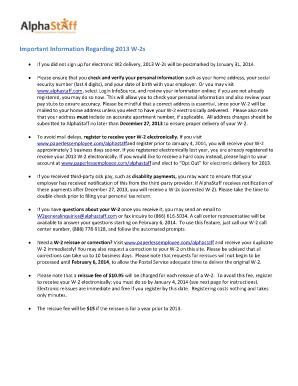
Get Alphastaff Login
How it works
-

Open form follow the instructions
-

Easily sign the form with your finger
-

Send filled & signed form or save
How to fill out the Alphastaff Login online
This guide provides clear, step-by-step instructions for filling out the Alphastaff Login online. Follow these directions to effectively access and manage your personal information.
Follow the steps to fill out the Alphastaff Login
- Click ‘Get Form’ button to obtain the form and open it in the editor.
- Verify that your personal information is accurate, including your name, home address, and the last four digits of your social security number.
- If changes are required, fill in the appropriate fields with the new information.
- Review the additional sections, such as your current address, to ensure all details are updated.
- Decide if this change is a permanent update or a one-time modification for W-2 purposes.
- Complete the signature field and date the form before submission.
- Submit your changes to AlphaStaff either by faxing the form to the payroll maintenance number or emailing it.
- Save changes, download, print, or share the form as needed.
Complete your Alphastaff Login online today to ensure your personal information is up-to-date.
Simply click on the Forgot Username or Forgot Password links below the login credential fields: An email or text will be sent to the information on file to begin the reset process. If you do not see the email in your inbox, please check your spam/junk folder.