Loading
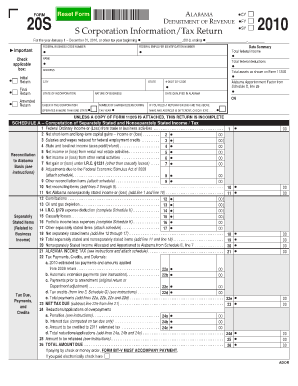
Get Alabama Form 20s 2019
How it works
-

Open form follow the instructions
-

Easily sign the form with your finger
-

Send filled & signed form or save
How to fill out the Alabama Form 20s 2019 online
Filling out the Alabama Form 20s 2019 can be a straightforward process when approached systematically and with care. This guide offers clear, step-by-step instructions to help you complete the form accurately and efficiently online.
Follow the steps to successfully complete the Alabama Form 20s 2019 online.
- Press the 'Get Form' button to retrieve the Alabama Form 20s 2019 and open it in an online editor.
- Begin by entering the corporation's name and address in the designated fields. Ensure that you provide the correct federal employer identification number (EIN) and the federal business code number.
- Indicate the type of return you are filing by checking the appropriate box: Initial return, final return, amended return, or if the corporation operates in more than one state.
- Fill out the section detailing the total federal income, federal deductions, and total assets as shown on Form 1120S.
- Report the Alabama apportionment factor from Schedule C, ensuring that all calculations reflect the correct figures for the tax year.
- Complete Schedules A, B, C, D, and E, providing detailed information as required. Take care to follow any additional instructions regarding allocations, apportionments, and separately stated items.
- Check your entries for accuracy. If required, attach the necessary documentation, like a copy of Form 1120S.
- Once all sections are completed, save your changes. You may choose to download, print, or share the completed form as needed.
Complete your Alabama Form 20s 2019 online to facilitate your tax filing process today.
Related links form
Your prior-year adjusted gross income (AGI) is the amount from your last year's return originally filed and accepted by the IRS. ... Based on the form you filed, your AGI is listed on: Form 1040, Line 37.