Loading
Get National Asbestos Workers Medical Fund
How it works
-

Open form follow the instructions
-

Easily sign the form with your finger
-

Send filled & signed form or save
How to fill out the National Asbestos Workers Medical Fund online
Filling out the National Asbestos Workers Medical Fund form can seem daunting, but this guide aims to simplify the process. By following the step-by-step instructions, you will be able to complete the form accurately and efficiently.
Follow the steps to successfully complete the online form.
- Click ‘Get Form’ button to obtain the form and open it for completion.
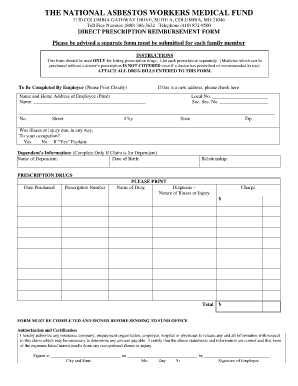
- Begin by providing your personal information. This includes your name, local number, and social security number. Ensure all entries are clearly printed.
- Fill in your home address, including the street, city, state, and zip code. Accuracy is essential for processing your claim.
- Indicate whether the illness or injury is related to your occupation by selecting ‘Yes’ or ‘No’. If you choose ‘Yes’, you will need to provide an explanation.
- For claims regarding a dependent, complete the dependent’s information section, including their name, date of birth, and relationship to you.
- In the prescription drugs section, list each prescription individually. Include the date purchased, prescription number, name of the drug, and diagnosis related to the treatment.
- Finally, complete the authorization and certification section. Confirm that the information provided is accurate and sign the form with the date and your location.
- Once fully completed, you can save your changes, download, print, or share the form as needed.
Complete your forms confidently and efficiently by filing them online today.
How to edit PDF files: Open a file in Acrobat. Click on the “Edit PDF” tool in the right pane. Use Acrobat editing tools: Add new text, edit text, or update fonts using selections from the Format list. ... Save your edited PDF: Name your file and click the “Save” button. That's it.