Loading
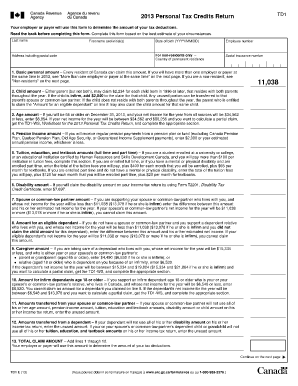
Get Td12013 Form
How it works
-

Open form follow the instructions
-

Easily sign the form with your finger
-

Send filled & signed form or save
How to fill out the Td12013 Form online
Completing the Td12013 Form is essential for accurately determining your tax deductions. This guide provides comprehensive and user-friendly instructions for filling out the form online, ensuring users of all experience levels can navigate the process with confidence.
Follow the steps to successfully complete the Td12013 Form online.
- Click the ‘Get Form’ button to obtain the Td12013 Form and open it in your preferred online editor.
- Begin by entering your last name, first name, and initials in the appropriate fields. Include your full address, including postal code, and your date of birth in the format YYYY/MM/DD.
- Next, provide your employee number if applicable and your social insurance number, which is crucial for the tax calculation process.
- In Section 1, claim the basic personal amount if you are a resident. If you are a non-resident, refer to the guidelines provided for your situation.
- Proceed to fill out the subsequent sections based on your individual circumstances, including claiming any child amounts, age amounts, or disability amounts as they apply to you.
- Calculate the total claim amount by adding the amounts from lines 1 through 12, ensuring all calculations are accurate.
- Sign and date the form to certify that all the information provided is correct to the best of your knowledge.
- Finally, save the changes you made to the form. You can download, print, or share the Td12013 Form with your employer or payer as necessary.
Complete your Td12013 Form online today to ensure accurate tax deductions!
Related links form
SECTION XIV: Appendix - Visit Pdf.usaid.gov - USAID - Pdf Usaid
Conditions For People With Severe Intellectual And Psychophysical Disabilities - Pdf Usaid
Integrated Biological And Behavioral Surveillance Survey (IBBS) Among Male Injecting Drug Users
Preparing A Performance Management Plan About Tips - USAID
Form T1213 – “Request to reduce tax deductions at source” This form is then sent to your local CRA tax services office for approval. Once approved, the CRA will send you a letter of authority, which must be given to your employer who can then reduce tax at source.