Loading
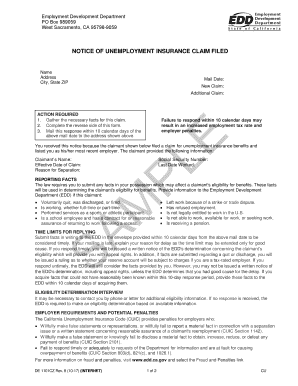
Get Umemployment Ca
How it works
-

Open form follow the instructions
-

Easily sign the form with your finger
-

Send filled & signed form or save
How to fill out the Umemployment Ca online
This guide provides clear and supportive instructions on completing the Umemployment Ca form online. By following these steps, users can ensure they fill out the form accurately and efficiently.
Follow the steps to effectively complete the Umemployment Ca form.
- Click ‘Get Form’ button to access the document and open it for editing.
- Begin by entering the claimant's name and Social Security Number in the designated fields. This information is crucial for identifying the claim and linking it to the correct individual.
- Provide the effective date of the claim, which is the date the claim is initiated, and the last date the claimant worked. Ensure this information is accurate to avoid processing delays.
- Indicate the reason for separation in the section provided. Choose the appropriate option from the list which includes being laid off, quitting, or being discharged. It is important to provide truthful and complete information.
- Complete Sections A, B, and C on the reverse side of the form, where you will report any relevant facts that may affect the claimant’s eligibility for benefits. This includes information about any compensation paid and certifications.
- Ensure that you provide your contact information, including the name of the person to contact for further information and a phone number.
- Review the form for accuracy and completeness. Remember that timely submission is essential; you have 10 days from the mailing date to respond.
- Once completed, save any changes made to the document. You can also download, print, or share the form as needed.
Complete your unemployment claims process online today for a smoother experience.
If you are fired because you lacked the skills to perform the job or simply weren't a good fit, you should be able to collect benefits. If you are fired for misconduct, however, you will not be eligible for unemployment benefits. ... A minor or one-time transgression isn't enough to disqualify you from receiving benefits.