Loading
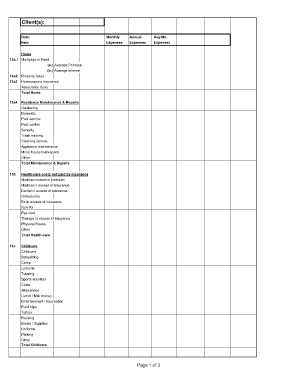
Get Divorce Living Expenses Fillable Worksheet Form
How it works
-

Open form follow the instructions
-

Easily sign the form with your finger
-

Send filled & signed form or save
How to fill out the Divorce Living Expenses Fillable Worksheet Form online
This guide will assist you in completing the Divorce Living Expenses Fillable Worksheet Form online with clear instructions. By following the steps outlined below, you will accurately document your monthly and annual living expenses, which is essential in the divorce process.
Follow the steps to fill out the Divorce Living Expenses Worksheet Form.
- Click the ‘Get Form’ button to access the Divorce Living Expenses Fillable Worksheet Form and open it in your preferred online editor.
- Begin with Section 13a, where you will list your housing expenses. Input your mortgage or rent, property taxes, homeowners insurance, and additional fees related to your residence. Ensure to calculate and input the total home expenses accurately.
- In Section 13b, detail your healthcare costs. Include medical, dental, and vision premiums, alongside any additional medical expenses. Accurately calculating and documenting these expenses is crucial for financial planning.
- Proceed to Section 13c to outline your childcare expenses. Record all associated costs such as babysitting, camp fees, and any tutoring or educational expenses related to your children.
- In Section 13d, list your groceries and household supplies. Include all monthly expenses related to food and essential household items, ensuring to capture the total.
- Continue to Section 13e to input your eating out expenses, followed by Section 13f for utilities, ensuring each category reflects the accurate monthly and annual totals.
- In Section 13g, document your telephone and communication expenses, including basic services and internet costs. Next, complete Sections 13h, 13i, and 13j for laundry/cleaning, clothing, and self-education expenses respectively.
- Proceed to Section 13k for entertainment expenses, capturing all leisure-related costs. In Section 13l, input transportation expenses, including car payments and gas costs.
- In Section 13m, note any other insurance costs, excluding auto, home, or health insurance. Follow this with Section 13n for savings and investments, clarifying any contributions to retirement accounts or other savings.
- Document any charitable contributions in Section 13o and finalize by adding total amounts from all sections in Section 13r to get your overall expenses. Ensure to correctly reflect any installment payments and debts in Section 14.
- Once completed, save your progress by downloading the form or printing it for your records. You can also share it as needed.
Start filling out the Divorce Living Expenses Worksheet Form online today for a smoother divorce process.
How to create better forms with conditional form fields (CFF) Step 1: Create a form. The first step is simply to create a form that includes all possible fields. ... Step 2: Indicate the field's conditions. ... Step 3: Relate conditional fields to their trigger field.