Loading
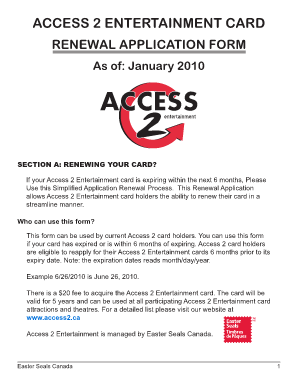
Get Access 2 Entertainment Card Renewal
How it works
-

Open form follow the instructions
-

Easily sign the form with your finger
-

Send filled & signed form or save
How to fill out the Access 2 Entertainment Card Renewal online
This guide provides a comprehensive overview of the steps involved in renewing your Access 2 Entertainment Card online. By following these instructions, you can complete the renewal process efficiently and effectively.
Follow the steps to successfully complete your card renewal application.
- Press the ‘Get Form’ button to obtain the Access 2 Entertainment Card Renewal application and open it in the editor.
- In Section A, confirm that you are renewing your card. Ensure you meet the eligibility criteria, which includes having an expiring card within the next 6 months.
- Proceed to Section B and fill in your personal information accurately. Include your name, address, contact number, email, and the barcode number of your expiring Access 2 card.
- Indicate your form of payment for the $20 administration fee. Be sure to choose between cheque, money order, or online credit card payment. Avoid sending cash.
- In Section C, complete the Declaration. Clearly state your name and affirm that you are a person with a permanent disability requiring an attendant. This declaration must be witnessed by a non-relative who has known you for at least 2 years.
- Have your witness sign their name, indicate their connection with you, and date the declaration. Additionally, sign and date the declaration yourself.
- After completing Sections B and C, ensure that you have enclosed the required payment and any necessary documentation, such as a self-addressed stamped envelope, as specified in the checklist at the end of the form.
- Finally, review the application for completeness. Submit the form along with payment to Easter Seals Canada at the provided address. Allow 4 to 6 weeks for processing.
Complete your Access 2 Entertainment Card Renewal application online today to enjoy continued access to entertainment options!
Alongside the evidence that you provide, you will also need to upload a document, such as a driving licence or passport that confirms your identity, along with a passport-style photo for your card.
Industry-leading security and compliance
US Legal Forms protects your data by complying with industry-specific security standards.
-
In businnes since 199725+ years providing professional legal documents.
-
Accredited businessGuarantees that a business meets BBB accreditation standards in the US and Canada.
-
Secured by BraintreeValidated Level 1 PCI DSS compliant payment gateway that accepts most major credit and debit card brands from across the globe.