Loading
Get Irs Form 4506t-ez Request For Transcript Of Tax Return
How it works
-

Open form follow the instructions
-

Easily sign the form with your finger
-

Send filled & signed form or save
How to fill out the IRS Form 4506T-EZ Request For Transcript Of Tax Return online
Filling out the IRS Form 4506T-EZ online is an efficient way to request a transcript of your tax return. This guide will walk you through each section of the form, ensuring you understand the requirements and how to complete it accurately.
Follow the steps to complete the IRS Form 4506T-EZ effectively
- Click ‘Get Form’ button to access the form and open it in the editor.
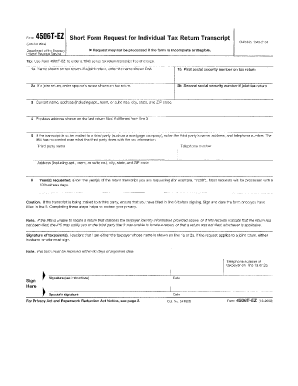
- Provide your personal information in the first section. Enter your name, current address, and social security number. Ensure that the details are accurate to avoid any delays.
- Indicate the type of transcript you are requesting. You can choose from options like tax return transcript or tax account transcript. Make sure to select the option that meets your needs.
- Fill in the tax year for which you are requesting the transcript. It is important to specify the correct year to obtain the right documents.
- If you are requesting the transcript for someone other than yourself, complete the third party section. Include their name and relationship to you, and provide their authorization if needed.
- Review all the entered information for accuracy. It is essential that all details are correct to avoid complications in processing your request.
- Once completed, you can choose to download the form, print it, or share it as needed. Make sure to keep a copy for your records.
Take the next step towards obtaining your tax transcript by filling out the form online today.
SBA requires you to complete the IRS Form 4506-T as a part of your disaster loan application submission. The form authorizes the IRS to provide federal income tax information directly to SBA. Although the form is available online, it cannot be transmitted electronically.