Loading
Get Vaf8 Visa Download Form
How it works
-

Open form follow the instructions
-

Easily sign the form with your finger
-

Send filled & signed form or save
How to fill out the Vaf8 Visa Download Form online
This guide provides step-by-step instructions on how to complete the Vaf8 Visa Download Form online. It aims to assist users in navigating through each section of the form to ensure a successful application process.
Follow the steps to complete the Vaf8 Visa Download Form.
- Press the 'Get Form' button to access the Vaf8 Visa Download Form and open it in the editor.
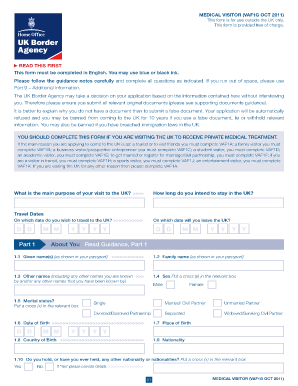
- Begin by filling out your travel details in the designated section, including the main purpose of your visit and your intended duration of stay in the UK.
- In the 'About You' section, enter your given name(s), family name, date of birth, sex, marital status, place of birth, country of birth, and nationality.
- Provide your passport information, including your passport number, place of issue, issuing authority, date of issue, and date of expiry.
- Fill in your contact details, including your residential address, phone numbers, and email address.
- Complete the section regarding your family information, detailing names, dates of birth, and nationalities of your parents, spouse/partner, and any children.
- Outline your finances and employment status, including monthly income, savings, and who will support your trip financially.
- Document any previous applications and travel history, including trips to the UK and other countries, and any prior visa applications.
- If applicable, fill out the section for travelers under the age of 18, detailing the involvement of parents or guardians.
- In the 'Your Visit' section, provide details about your medical treatment, including the hospital or clinic name, address, and treatment dates.
- Utilize Part 9 for any additional information you wish to include, ensuring you provide clear and relevant responses.
- Finally, read and sign the declaration, ensuring all information is accurate and true before submitting. Save your changes, and download or print the form as necessary.
Complete your Vaf8 Visa Download Form online to ensure a smooth application process.
your name & surname. nationality. country of residence. marital status. personal number. passport number. reason for wishing to enter the UK. other information about your application.