Loading
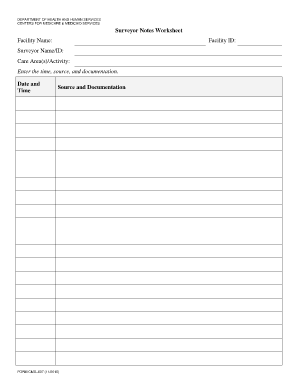
Get Surveyor Notes Worksheet Facility Name: Facility Id: Surveyor ...
How it works
-

Open form follow the instructions
-

Easily sign the form with your finger
-

Send filled & signed form or save
How to fill out the Surveyor Notes Worksheet Facility Name: Facility ID: Surveyor ... online
Filling out the Surveyor Notes Worksheet is an essential task for documenting important information during surveys. This guide provides clear and concise steps to help you complete the form accurately and efficiently online.
Follow the steps to successfully complete the Surveyor Notes Worksheet.
- Click ‘Get Form’ button to access the Surveyor Notes Worksheet and open it for completion.
- In the ‘Facility Name’ field, accurately enter the name of the facility you are surveying.
- Next, input the ‘Facility ID’ which is crucial for identification purposes.
- Fill in the ‘Surveyor Name/ID’ section with your name and identification number.
- Under ‘Care Area(s)/Activity’, specify the care areas or activities you are observing or documenting.
- For the ‘Date and Time’ section, accurately log the date and the time of the documentation.
- In the ‘Source and Documentation’ field, provide a brief yet comprehensive description of the sources and any related documentation you reference.
- Once all fields are completed, review the information to ensure its accuracy.
- Finally, save your changes, download, print, or share the completed form as necessary to meet your documentation requirements.
Complete your documentation by filling out the Surveyor Notes Worksheet online today.