Loading
Get Form 2493
How it works
-

Open form follow the instructions
-

Easily sign the form with your finger
-

Send filled & signed form or save
How to fill out the Form 2493 online
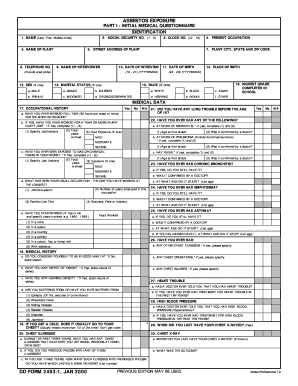
Filling out Form 2493 online can be straightforward with the right guidance. This form is essential for documenting asbestos exposure, and ensuring that every section is completed accurately is crucial for effective assessment.
Follow the steps to successfully complete Form 2493 online.
- Click ‘Get Form’ button to obtain the form and open it in your online editor.
- Begin by entering your identification information. This includes your name (last, first, middle initial), social security number, clock number, and present occupation. Ensure all entries are accurate to avoid processing delays.
- In the next section, fill in the details about the plant, including its name, street address, city, state, and zip code. Make sure to include the telephone number as well.
- Provide the date of the interview and complete your date of birth and place of birth fields using the specified formats (YYYYMMDD).
- Indicate your sexual designation, marital status, and race by marking the appropriate boxes clearly.
- Complete the educational background section to indicate your highest grade completed in school.
- In the medical data section, answer questions about your occupational history, including previous exposure to dust and chemicals, and health conditions. Be thorough with any detail you provide as it may affect medical evaluation.
- Provide information regarding any past or present health issues, including chronic illnesses and treatments, as well as relevant family medical history.
- Once all fields are completed with accurate and truthful information, review your entries for any possible errors or omissions.
- Finally, save your changes, and download, print, or share the completed form as necessary.
Take a moment to ensure all your documents are correct by filling out Form 2493 online today!
These taxable distributions, as well as any short-term capital gains are reported to you and the IRS (as required) in Column 1a of your Form 1099-DIV, under Total Ordinary Dividends. Long-term capital gains are reported in Column 2a of your Form 1099-DIV, under Total Capital Gain Distributions.
Industry-leading security and compliance
US Legal Forms protects your data by complying with industry-specific security standards.
-
In businnes since 199725+ years providing professional legal documents.
-
Accredited businessGuarantees that a business meets BBB accreditation standards in the US and Canada.
-
Secured by BraintreeValidated Level 1 PCI DSS compliant payment gateway that accepts most major credit and debit card brands from across the globe.