Loading
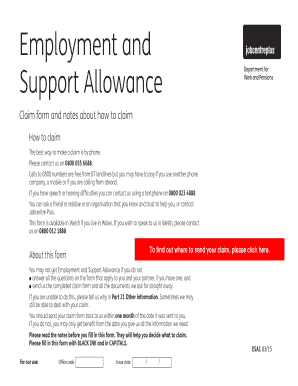
Get Esa1 Form Online
How it works
-

Open form follow the instructions
-

Easily sign the form with your finger
-

Send filled & signed form or save
How to fill out the Esa1 Form Online
Filling out the Esa1 Form online can help streamline your claim for Employment and Support Allowance. This guide will provide you with step-by-step instructions to ensure that you complete each section accurately and efficiently.
Follow the steps to successfully complete the Esa1 Form online.
- Click 'Get Form' button to access the Esa1 form. This will open the form in the editor for you to begin filling it out.
- Begin with Part 1: About your claim. Enter the date you wish to claim Employment and Support Allowance from. Ensure that this date matches when you first contacted the relevant office.
- In Part 2: About you and your partner, provide your full name, date of birth, National Insurance number, and contact details. If applicable, include your partner's information.
- Proceed to Part 3: About your illness or disability. Fill in the date your condition began and provide brief details of your illness or disability. Include your doctor's information for medical statements.
- Continue to Part 4: Special rules if you believe your condition qualifies. Indicate if a DS1500 report is needed and ensure it is submitted with your application.
- Complete Part 5: About work by detailing any employment you or your partner currently have, including job titles and hours worked.
- In Part 6: About other benefits, list any additional social security benefits you receive. Enter the name of the benefits, who receives them, and the amounts paid.
- Fill out Parts 7 to 19 thoroughly, providing all necessary details regarding time spent abroad, statutory payments, pensions, and other relevant information.
- In Part 20: How we pay you, provide your bank account details for payment processing. Double-check the numbers to avoid delays.
- Use Part 21: Other information for any additional relevant details that do not fit into previous sections. Lastly, review your application completely before submission.
- Once completed, you can save changes, download, print, or share the form as required.
Complete your Esa1 Form online today to ensure a smooth benefits claim process.
Check if you can claim contribution-based ESA You must have met National Insurance conditions for 2 tax years in 2020 the tax years are 2017-18 and 2018-19. ... To meet the National Insurance conditions, you'll need to have a full year of contributions for both tax years.