Loading
Form preview
  • US Legal Forms
  • Form Library
  • More Forms
  • More Uncategorized Forms
  • Da 5668 Form

Get Da 5668 Form

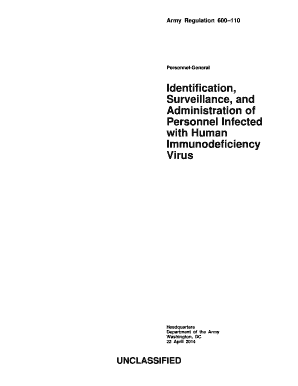
HIV infected AGR personnel will complete a medical evaluation to determine if they are FFD. ADOS Soldiers will be processed for involuntary REFRAD upon confirmation of HIV infection. During the REFRAD processing the Soldier may initiate the FFD requirement. Army Regulation 600 110 Personnel-General Identification Surveillance and Administration of Personnel Infected with Human Immunodeficiency Virus Headquarters Department of the Army Washington .

How it works

  1. Open form

    Open form follow the instructions

  2. Easily sign form

    Easily sign the form with your finger

  3. Share form

    Send filled & signed form or save

How to fill out the DA 5668 form online

The DA 5668 form is essential for managing administrative tasks within the Army. This user-friendly guide will provide you with detailed steps to complete the form online, ensuring accuracy and compliance with Army regulations.

Follow the steps to successfully fill out the DA 5668 form online.

  1. Click 'Get Form' button to obtain the DA 5668 form and open it in the editor.
  2. Fill out the personal information section, including your name, rank, and unit. Ensure that all details are accurate and complete.
  3. In the next section, provide relevant dates related to your administrative requirements. This may include reporting dates and deadlines for specific tasks.
  4. Complete the justification section, where you explain the purpose of the form. Be clear and concise to communicate your needs effectively.
  5. Review all filled sections for accuracy and completeness before proceeding to any signature requirements.
  6. Once all fields are complete, save your changes. You can choose to download, print, or share the form as needed.

Get started now and complete your DA 5668 form online effortlessly!

Get form

Experience a faster way to fill out and sign forms on the web. Access the most extensive library of templates available.
Get form

Related content

Forms and Manuals - Missouri Department of Revenue...
5668PDF Document, Garnishment Hardship Application, 8/9/2017 ... and Calculating Form...
Learn more
Welcome | Department of Anesthesiology
Employees with possible exposure to, or symptoms of coronavirus: Call Occupational Health...
Learn more
Free France - Wikipedia
Free France and its Free French Forces was the government-in-exile led by Charles de...
Learn more

Related links form

Tax Law Section 25(a)(1) Part 5 Computation Of Conservation Easement Tax Credit - Tax Ny Part 5 Summary Of Addback Of Credit On Early Dispositions - Tax Ny Form IT-239:2010:Claim For Credit For Taxicabs And Livery Service ... - Tax Ny

Questions & Answers

Get answers to your most pressing questions about US Legal Forms API.

Contact support

Just need to go to Schema Builder and select the object. The list of fields can be scrolled through. The Required fields have a red mark on them. For example, 'Account Name' and 'Account Owner' as seen below.

Click the Add validator button. Select the Field Required Validator option. Click the 'Add' button. For Fields required for this transition:, select the custom field you want to be required.

Click on the gear icon then Setup > Object Manager. Choose the object > Fields & Relationships. Select the custom field that you will make required. Click on Edit and under General Options select Required. Click on Save.

Jira provides a "None" option with Select List and Radio Buttons custom field types that appears on the Screens. This helps in preventing the accidental submission of default or wrong values. The "None" Option can be removed from the Screens by modifying the field configuration for a specific custom field.

In the Fields section, click Field configurations. Click Configure next to the field configuration you wish to edit. You will see “Required” next to fields that have already been marked required. Click Optional to remove this requirement.

Disabling / enabling values Navigate to the project. Go to Project settings. Go to Custom field values. Choose "edit" behind the custom field. Turn the "disabled" checkbox on /off.

How to edit and delete a field configuration Select > Issues. In the Fields section, select Field configurations. Select Edit or Delete next to the field configuration you wish to update.

Jira admins can go to (Settings) > Issues > Custom fields, and select Contexts and default value for the field to edit or add a global context to the field. For a field to be visible in team-managed projects, you'll have to apply the global context to it.

Get This Form Now!

Use professional pre-built templates to fill in and sign documents online faster. Get access to thousands of forms.
Get form
If you believe that this page should be taken down, please follow our DMCA take down processhere.

Industry-leading security and compliance

US Legal Forms protects your data by complying with industry-specific security standards.
  • In businnes since 1997
    25+ years providing professional legal documents.
  • Accredited business
    Guarantees that a business meets BBB accreditation standards in the US and Canada.
  • Secured by Braintree
    Validated Level 1 PCI DSS compliant payment gateway that accepts most major credit and debit card brands from across the globe.
Get Da 5668 Form
Get form
Form Packages
Adoption
Bankruptcy
Contractors
Divorce
Home Sales
Employment
Identity Theft
Incorporation
Landlord Tenant
Living Trust
Name Change
Personal Planning
Small Business
Wills & Estates
Packages A-Z
Form Categories
Affidavits
Bankruptcy
Bill of Sale
Corporate - LLC
Divorce
Employment
Identity Theft
Internet Technology
Landlord Tenant
Living Wills
Name Change
Power of Attorney
Real Estate
Small Estates
Wills
All Forms
Forms A-Z
Form Library
Customer Service
Your Privacy Choices
Terms of Service
Privacy Notice
Legal Hub
Content Takedown Policy
Bug Bounty Program
About Us
Help Portal
Legal Resources
Blog
Affiliates
Contact Us
Delete My Account
Site Map
Industries
Forms in Spanish
Localized Forms
State-specific Forms
Forms Kit
Legal Guides
Real Estate Handbook
All Guides
Prepared for You
Notarize
Incorporation services
Our Customers
For Consumers
For Small Business
For Attorneys
Our Sites
US Legal Forms
USLegal
FormsPass
pdfFiller
signNow
altaFlow
DocHub
Instapage
Social Media
Call us now toll free:
+1 833 426 79 33
As seen in:
  • USA Today logo picture
  • CBC News logo picture
  • LA Times logo picture
  • The Washington Post logo picture
  • AP logo picture
  • Forbes logo picture
© Copyright 1997-2026
airSlate Legal Forms, Inc.
3720 Flowood Dr, Flowood, Mississippi 39232
Form Packages
Adoption
Bankruptcy
Contractors
Divorce
Home Sales
Employment
Identity Theft
Incorporation
Landlord Tenant
Living Trust
Name Change
Personal Planning
Small Business
Wills & Estates
Packages A-Z
Form Categories
Affidavits
Bankruptcy
Bill of Sale
Corporate - LLC
Divorce
Employment
Identity Theft
Internet Technology
Landlord Tenant
Living Wills
Name Change
Power of Attorney
Real Estate
Small Estates
Wills
All Forms
Forms A-Z
Form Library
Customer Service
Your Privacy Choices
Terms of Service
Privacy Notice
Legal Hub
Content Takedown Policy
Bug Bounty Program
About Us
Help Portal
Legal Resources
Blog
Affiliates
Contact Us
Delete My Account
Site Map
Industries
Forms in Spanish
Localized Forms
State-specific Forms
Forms Kit
Legal Guides
Real Estate Handbook
All Guides
Prepared for You
Notarize
Incorporation services
Our Customers
For Consumers
For Small Business
For Attorneys
Our Sites
US Legal Forms
USLegal
FormsPass
pdfFiller
signNow
altaFlow
DocHub
Instapage
Social Media
Call us now toll free:
+1 833 426 79 33
As seen in:
  • USA Today logo picture
  • CBC News logo picture
  • LA Times logo picture
  • The Washington Post logo picture
  • AP logo picture
  • Forbes logo picture
© Copyright 1997-2026
airSlate Legal Forms, Inc.
3720 Flowood Dr, Flowood, Mississippi 39232