We use cookies to improve security, personalize the user experience, enhance our marketing activities (including cooperating with our marketing partners) and for other business use.
Click "here" to read our Cookie Policy. By clicking "Accept" you agree to the use of cookies. Read less
Read more
Accept
Loading
Form preview
  • US Legal Forms
  • Form Library
  • More Forms
  • More Uncategorized Forms
  • Unlike A Will A Living Trust Is Controlled By Form

Get Unlike A Will A Living Trust Is Controlled By Form

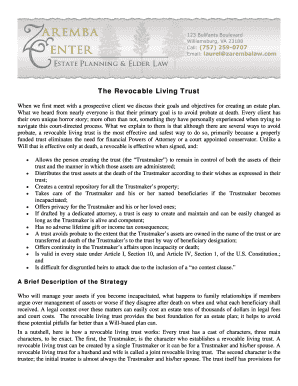
Everyone is that their primary goal is to avoid probate at death. Every client has their own unique horror story; more often than not, something they have personally experienced when trying to navigate this court-directed process. What we explain to them is that although there are several ways to avoid probate, a revocable living trust is the most effective and safest way to do so, primarily because a properly funded trust eliminates the need for financial Powers of Attorney or a court appointe.

How it works

  1. Open form

    Open form follow the instructions

  2. Easily sign form

    Easily sign the form with your finger

  3. Share form

    Send filled & signed form or save

How to fill out the Unlike A Will A Living Trust Is Controlled By Form online

Creating a revocable living trust can help you achieve your estate planning goals, including avoiding probate and managing your assets effectively. This guide will walk you through the process of filling out the Unlike A Will A Living Trust Is Controlled By Form online.

Follow the steps to complete your living trust form with ease.

  1. Click the ‘Get Form’ button to access the living trust form and open it in your browser or preferred document editor.
  2. Begin by entering your name in the designated field for the Trustmaker. Make sure to include your full legal name as it appears on official documents.
  3. Input the names of any co-trustees or successors. It is essential to clearly identify who will manage the trust if you are unable to do so.
  4. Fill in the beneficiary section by listing the people or entities that will inherit from your trust. Ensure that names are accurate to avoid any confusion.
  5. Detail the assets that will be included in the trust. Include descriptions and values for real estate, bank accounts, and other significant assets.
  6. Read through the provisions for managing the trust, ensuring they reflect your intentions regarding incapacity or changes in your health status.
  7. Review the instructions for how the assets should be distributed upon your death, making adjustments as necessary based on your wishes.
  8. Once you’ve completed all fields, save your changes. You might also choose to download or print the form for your records.
  9. Consider consulting with a legal professional to ensure the trust is properly funded and compliant with your local laws.

Start your estate planning journey today by filling out the living trust form online.

Get form

Experience a faster way to fill out and sign forms on the web. Access the most extensive library of templates available.
Get form

Related content

Living Trusts and Estate Planning - County of...
Contact Us Jury Duty Pay Fines Get Forms DomainWeb ... Unlike a testamentary trust, a...
Learn more
Trusts: definitions, types and taxation | UMN...
Unlike a will, living trust assets are not subject to public disclosure during and after...
Learn more
Collective consciousness - Wikipedia
Collective consciousness, collective conscience, or collective conscious (French:...
Learn more

Related links form

Relay Texas - Call Types - Public Utility Commission Of Texas CHANGE OF NAME, ADDRESS &/OR E-MAIL - Massbay Using Software Testing To Move Students From Trial-and- Error To ... - Dartmouth Form D3: Psy.D. Dissertation Proposal Approval Student: Address ...

Questions & Answers

Get answers to your most pressing questions about US Legal Forms API.

Contact support

Upon the appointor's death, any assets in a family trust are treated separately to a will. This is because the assets that the appointor has put in the trust are now held for the benefit of the beneficiaries, not for themselves. However, who will now control the trust is an important issue after the appointor's death.

While a will determines how your assets will be distributed after you die, a trust becomes the legal owner of your assets the moment the trust is created. There are numerous types of trusts out there, but an irrevocable trust is most relevant in the world of personal estate planning.

Living trusts are managed by a trustee who typically has a fiduciary duty to manage the trust prudently in the best interests of the trust's beneficiary or beneficiaries designated by the trust settlor, also called a grantor.

Get This Form Now!

Use professional pre-built templates to fill in and sign documents online faster. Get access to thousands of forms.
Get form
If you believe that this page should be taken down, please follow our DMCA take down processhere.

Industry-leading security and compliance

US Legal Forms protects your data by complying with industry-specific security standards.
  • In businnes since 1997
    25+ years providing professional legal documents.
  • Accredited business
    Guarantees that a business meets BBB accreditation standards in the US and Canada.
  • Secured by Braintree
    Validated Level 1 PCI DSS compliant payment gateway that accepts most major credit and debit card brands from across the globe.
Get Unlike A Will A Living Trust Is Controlled By Form
Get form
Form Packages
Adoption
Bankruptcy
Contractors
Divorce
Home Sales
Employment
Identity Theft
Incorporation
Landlord Tenant
Living Trust
Name Change
Personal Planning
Small Business
Wills & Estates
Packages A-Z
Form Categories
Affidavits
Bankruptcy
Bill of Sale
Corporate - LLC
Divorce
Employment
Identity Theft
Internet Technology
Landlord Tenant
Living Wills
Name Change
Power of Attorney
Real Estate
Small Estates
Wills
All Forms
Forms A-Z
Form Library
Customer Service
Terms of Service
Privacy Notice
Legal Hub
Content Takedown Policy
Bug Bounty Program
About Us
Blog
Affiliates
Contact Us
Delete My Account
Site Map
Industries
Forms in Spanish
Localized Forms
State-specific Forms
Forms Kit
Legal Guides
Real Estate Handbook
All Guides
Prepared for You
Notarize
Incorporation services
Our Customers
For Consumers
For Small Business
For Attorneys
Our Sites
US Legal Forms
USLegal
FormsPass
pdfFiller
signNow
airSlate WorkFlow
DocHub
Instapage
Social Media
Call us now toll free:
+1 833 426 79 33
As seen in:
  • USA Today logo picture
  • CBC News logo picture
  • LA Times logo picture
  • The Washington Post logo picture
  • AP logo picture
  • Forbes logo picture
© Copyright 1997-2025
airSlate Legal Forms, Inc.
3720 Flowood Dr, Flowood, Mississippi 39232
Form Packages
Adoption
Bankruptcy
Contractors
Divorce
Home Sales
Employment
Identity Theft
Incorporation
Landlord Tenant
Living Trust
Name Change
Personal Planning
Small Business
Wills & Estates
Packages A-Z
Form Categories
Affidavits
Bankruptcy
Bill of Sale
Corporate - LLC
Divorce
Employment
Identity Theft
Internet Technology
Landlord Tenant
Living Wills
Name Change
Power of Attorney
Real Estate
Small Estates
Wills
All Forms
Forms A-Z
Form Library
Customer Service
Terms of Service
Privacy Notice
Legal Hub
Content Takedown Policy
Bug Bounty Program
About Us
Blog
Affiliates
Contact Us
Delete My Account
Site Map
Industries
Forms in Spanish
Localized Forms
State-specific Forms
Forms Kit
Legal Guides
Real Estate Handbook
All Guides
Prepared for You
Notarize
Incorporation services
Our Customers
For Consumers
For Small Business
For Attorneys
Our Sites
US Legal Forms
USLegal
FormsPass
pdfFiller
signNow
airSlate WorkFlow
DocHub
Instapage
Social Media
Call us now toll free:
+1 833 426 79 33
As seen in:
  • USA Today logo picture
  • CBC News logo picture
  • LA Times logo picture
  • The Washington Post logo picture
  • AP logo picture
  • Forbes logo picture
© Copyright 1997-2025
airSlate Legal Forms, Inc.
3720 Flowood Dr, Flowood, Mississippi 39232