Loading
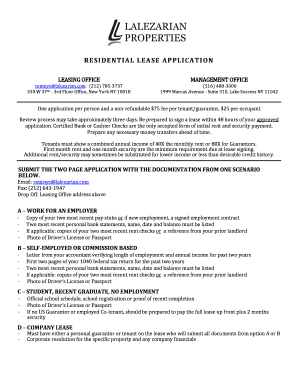
Get Residental Lease
How it works
-

Open form follow the instructions
-

Easily sign the form with your finger
-

Send filled & signed form or save
How to fill out the RESIDENTIAL LEASE online
Filling out a residential lease online can be a straightforward process when you know what to do. This guide will provide you with step-by-step instructions to help ensure that your application is completed accurately and efficiently.
Follow the steps to complete your residential lease application.
- Click the ‘Get Form’ button to obtain the residential lease application and open it in your preferred online editor.
- Begin by filling out your property name and apartment number in the designated section at the top of the form. Ensure that this information is correct.
- Indicate your role by selecting one of the options: 'Tenant,' 'Guarantor,' or 'Occupant'. Be sure to fill out the date as well.
- Complete the lease details by entering the lease start date, lease length, and monthly rent in the corresponding fields.
- Fill in your personal information, including your full name, social security number, date of birth, email address, and phone number. Double-check for accuracy.
- Select your residency status by checking the appropriate box for 'U.S. Citizen,' 'Permanent Resident,' or 'Temporary Resident.'
- Provide information about how you found out about the building in the 'What/Who introduced you to the building' section.
- Address pet ownership by checking 'Yes' or 'No' and provide details about the breed and combined weight if applicable.
- Fill out your current address and the management's contact information next. Include your reason for moving.
- If you have lived at your current address for less than one year, complete the previous address section.
- Provide your employment or education details, including the name of your employer or institution, title, city/state, years with the company, and salary information.
- If applicable, include information about previous employment and any other income or investments.
- Indicate whether you are a guarantor, and provide relationships and details about any minors or additional occupants living with you.
- Answer questions regarding past evictions, lease breaks, and court involvement with a brief description as needed.
- Review the section regarding past rentals from Lalezarian Properties and check 'Yes' or 'No' as appropriate.
- Read the warranty statement carefully and sign the application, including the date. Ensure all prior information is accurate.
- Complete the credit card authorization if necessary, indicating your card type, number, expiration date, and billing address.
- Finally, be sure to save your changes, download a copy of the completed application, or print it out for submission.
Start completing your residential lease application online today!
The two most common types of leases are operating leases and financing leases (also called capital leases).