Loading
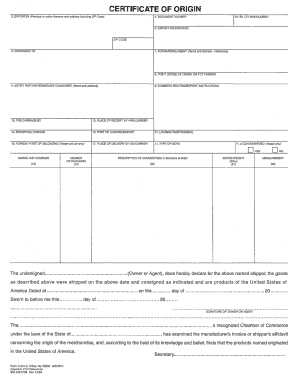
Get Certificate Of Origin
How it works
-

Open form follow the instructions
-

Easily sign the form with your finger
-

Send filled & signed form or save
How to fill out the CERTIFICATE OF ORIGIN online
Filling out a Certificate of Origin online can streamline the documentation process for international trade. This guide provides clear, step-by-step instructions to help you accurately complete the necessary fields of the form.
Follow the steps to efficiently complete your Certificate of Origin online.
- Click the 'Get Form' button to access the Certificate of Origin form and open it in your preferred online editor.
- Begin by entering the name of the exporter in the designated field. Ensure to provide the full legal name as it appears on official documents.
- Next, fill in the address of the exporter, including street, city, state, and zip code. This information must accurately reflect the exporter’s physical location.
- In the section for the consignee, enter the name and address of the individual or company that will receive the goods. Ensure that this information is correct to avoid shipment issues.
- List the country of origin for each product. This is critical for customs clearance and should align with the product's manufacturing information.
- Provide a detailed description of the goods being shipped, including quantities and any specific product identifiers. This clarity helps in expedited processing at customs.
- Review the completed sections for accuracy and completeness. It is essential to double-check all entries to prevent any delays or issues.
- Finally, once all information is confirmed, save your changes. You can download, print, or share the completed Certificate of Origin as necessary.
Complete your Certificate of Origin online today for a smoother exporting experience.
As identified in the definitions, a certificate of origin is issued by a competent authority of the exporting country. Self-issued certificates of origin and declarations of origin may be issued by the producer, manufacturer, exporter or importer.