Loading
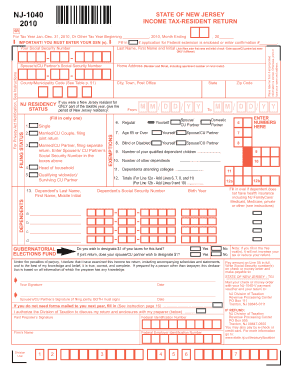
Get 2010 Nj State Fillable Tax Forms
How it works
-

Open form follow the instructions
-

Easily sign the form with your finger
-

Send filled & signed form or save
How to fill out the 2010 Nj State Fillable Tax Forms online
Completing your 2010 New Jersey state tax return can be straightforward with the right guidance. This guide walks you through the steps necessary to fill out the NJ-1040 form online, ensuring you provide all required information accurately and efficiently.
Follow the steps to complete your form online.
- Click the ‘Get Form’ button to access the 2010 NJ State Fillable Tax Forms. Once obtained, open the form in your preferred online editor.
- Begin by reviewing the preprinted information on the form. If everything is correct, place a label on the form. If any details are incorrect, print or type your name and address in the designated fields.
- Enter your Social Security Number in the specified field. Make sure to provide this and check that it is correct, as it is a critical part of your tax return.
- Indicate your residency status and complete the section asking for your period of New Jersey residency if applicable.
- Choose your filing status by marking the appropriate oval corresponding to your situation, such as single, married filing jointly, or head of household.
- List your dependents by entering their names, Social Security Numbers, and relevant information in the spaces provided. Be sure to fill in the number of dependent children and other dependents you are claiming.
- Complete the income section by entering the required figures from your W-2 and other income forms. Ensure to follow the instructions for each line to avoid mistakes.
- Fill out any deductions applicable to your situation, using the guidance provided on the form to calculate totals accurately.
- Review your entries for accuracy, ensuring all required fields are filled and ensuring compliance with recent tax regulations.
- Once all information is complete and verified, you can save your changes, download the form, or print it for submission via email or mail as per the provided directions.
Start filling out your 2010 NJ State Fillable Tax Forms online today to ensure your tax return is filed accurately and on time.
only $28.95! The IRS and the States have ruled (not eFile.com) that a taxpayer can NOT just e-File one or more State returns alone without also eFiling the Federal Return. ... a state tax return can only be e-filed together with an IRS or Federal Income tax return not just here on eFile.com but anywhere.