Loading
Get 2010 Fillable K 1 1065 Form
How it works
-

Open form follow the instructions
-

Easily sign the form with your finger
-

Send filled & signed form or save
How to fill out the 2010 Fillable K 1 1065 Form online
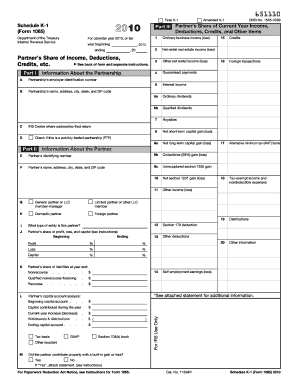
This guide provides a comprehensive overview of how to complete the 2010 Fillable K 1 1065 Form online. The K-1 form is essential for reporting a partner's share of income, deductions, and credits from partnerships.
Follow the steps to successfully complete the form.
- Click the 'Get Form' button to obtain the K-1 form and open it in your editor.
- Begin by filling out the 'Information About the Partnership' section, including details such as the partnership's name, address, and employer identification number.
- Proceed to the 'Information About the Partner' section. Include the partner's identifying number, name, address, and any applicable details regarding their share of profits, losses, and liabilities.
- Next, navigate to Part III, which outlines the partner's share of current year income, deductions, credits, and other items. Carefully enter the amounts for ordinary business income, rental income, guaranteed payments, interest, dividends, and other income sources.
- Make sure to account for any deductions and expenses accurately, particularly those related to the section 179 deduction and other notable deductions indicated in the instructions.
- Review any credits reported in the form and ensure you have documented your share of the partnership's foreign transactions if applicable.
- After completing all sections relevant to your partnership, check for accuracy and completeness. You can then save your changes, download the form, print it, or share it as necessary.
Complete your 2010 Fillable K 1 1065 Form online today to ensure accurate reporting.
2:08 9:05 Suggested clip How to Fill out Schedule K-1 (IRS Form 1065) - YouTubeYouTubeStart of suggested clipEnd of suggested clip How to Fill out Schedule K-1 (IRS Form 1065) - YouTube