Loading
Get Retirement Resources - Chicago Teachers' Pension Fund
How it works
-

Open form follow the instructions
-

Easily sign the form with your finger
-

Send filled & signed form or save
How to fill out the Retirement Resources - Chicago Teachers' Pension Fund online
Filling out the Retirement Resources form for the Chicago Teachers' Pension Fund is an important step in securing your retirement benefits. This guide will provide you with clear, step-by-step instructions to make the process smooth and straightforward.
Follow the steps to complete the Retirement Resources form online.
- Click ‘Get Form’ button to obtain the form and open it in your preferred editing tool.
- Begin by entering your personal information in the designated fields. This typically includes your full legal name, date of birth, and contact information. Ensure accuracy to avoid delays.
- Next, provide your employment details. This may involve listing your position, years of service, and the schools you have worked at. Check that all entries are correct for valid representation.
- If applicable, detail any previous pension plans or retirement accounts you may have. This section may help in calculating your total pension benefits.
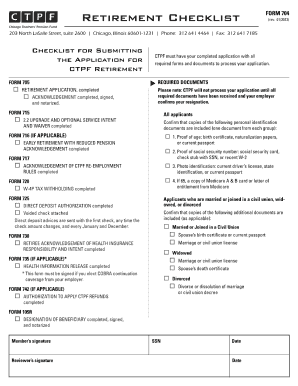
- Review the form for any required supporting documentation, such as identification or proof of employment. Make sure to prepare copies as needed.
- Once all information is thoroughly checked, you can save your changes. The form generally offers options to download, print, or share electronically for submission.
Begin your online document submission process today to ensure your retirement benefits are secured.
The pension payout formula is based on Chicago teachers paying 9 percent of their salaries toward their pensions. In practice, CPS picks up 7 of the 9 percent required employee contribution. Teachers contribute an additional 2 percent of their salaries themselves.