Loading
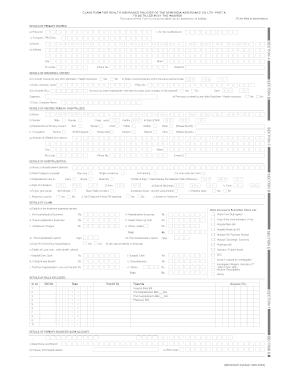
Get A Part Of Claim Form.pdf
How it works
-

Open form follow the instructions
-

Easily sign the form with your finger
-

Send filled & signed form or save
How to fill out the A PART OF CLAIM FORM.pdf online
This guide provides clear steps and instructions for users looking to complete the A PART OF CLAIM FORM.pdf online. Whether you have previous experience or are new to filling out insurance forms, this comprehensive guide is designed to assist you through each section systematically.
Follow the steps to fill out your claim form online efficiently.
- Click the ‘Get Form’ button to access and open the A PART OF CLAIM FORM.pdf in your preferred online editor.
- Start with Section A, where you will provide details of the primary insured. Fill in your policy number, certificate number, and your full name, including last name, first name, and middle name. Make sure to use block letters.
- Continue to complete your address, ensuring to include street, city, state, and pin code. Follow this by entering your phone number and email address.
- In Section B, indicate your insurance history. Mark whether you are currently covered by another Mediclaim or health insurance and, if so, provide the company name and policy number.
- Move to Section C to provide details about the insured person who has been hospitalized. Include their full name, gender, age, date of birth, and relationship to the primary insured. Also fill in their address and contact information.
- Section D requires details of the hospitalization. Enter the name of the hospital, the room category occupied, and hospitalization reasons, specifying dates of admission and discharge.
- In Section E, list details of the claim, including treatment expenses claimed and a checklist of submitted claim documents. Ensure you add any lump sum or cash benefits claimed as necessary.
- For Section F, provide the primary insured's bank account details, including PAN, bank name, account number, and IFSC code.
- Finally, review all sections for accuracy before completing the declaration. Include the date and location of signing, followed by your signature to complete the form.
- Save your changes and choose to download, print, or share the completed form, ensuring your submission is secure.
Complete the A PART OF CLAIM FORM.pdf online today to ensure your health insurance claims are processed smoothly.
The two most common claim forms are the CMS-1500 and the UB-04. These two forms look and operate similarly, but they are not interchangeable. The UB-04 is based on the CMS-1500, but is actually a variation on it—it's also known as the CMS-1450 form.
Industry-leading security and compliance
US Legal Forms protects your data by complying with industry-specific security standards.
-
In businnes since 199725+ years providing professional legal documents.
-
Accredited businessGuarantees that a business meets BBB accreditation standards in the US and Canada.
-
Secured by BraintreeValidated Level 1 PCI DSS compliant payment gateway that accepts most major credit and debit card brands from across the globe.