Loading
Get Msa Intranet
How it works
-

Open form follow the instructions
-

Easily sign the form with your finger
-

Send filled & signed form or save
How to fill out the Msa Intranet online
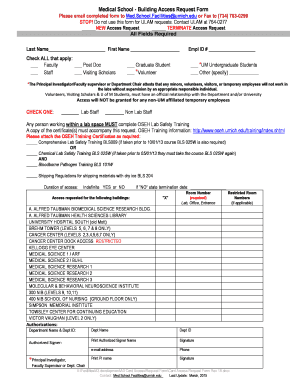
This guide provides a clear and supportive approach to completing the Msa Intranet form. Follow these steps to ensure your request for access is processed smoothly and efficiently.
Follow the steps to successfully complete the Msa Intranet form.
- Select the ‘Get Form’ button to obtain the Msa Intranet form and open it in your designated online editor.
- Begin filling out the personal information section, including your last name and first name in the designated fields.
- Choose all applicable categories by checking the boxes next to your status: Faculty, Post Doc, Staff, or Visiting Scholars. Be sure to provide your employee ID number in the specified field.
- Indicate if you are a UM undergraduate student, graduate student, volunteer, or other types by checking the relevant options and providing any necessary details.
- If applicable, check whether you are requesting new access or terminating existing access.
- Specify whether you are lab staff or non-lab staff. Remember that lab staff must complete the OSEH Lab Safety Training.
- Attach the required OSEH Training Certificates to your form to comply with safety regulations.
- Indicate the duration of access you are requesting by selecting 'Indefinite' or 'NO' and stating a termination date if applicable.
- List the buildings and room numbers for which access is requested, ensuring all required information is accurate.
- Complete the authorization section, providing the department name, department ID, and details for the authorized signer. Make sure to obtain any necessary signatures.
- Finally, review all entries for completeness and accuracy before saving your changes.
Complete your Msa Intranet form online today!
Open the PDF in Acrobat, and then do one of the following: Choose Tools > Redact. On the Edit menu, choose Redact Text & Images. Select the text or image in a PDF, right-click, and select Redact.