Loading
Get Andhra Pragathi Grameena Bank Online Account Opening
How it works
-

Open form follow the instructions
-

Easily sign the form with your finger
-

Send filled & signed form or save
How to fill out the Andhra Pragathi Grameena Bank Online Account Opening online
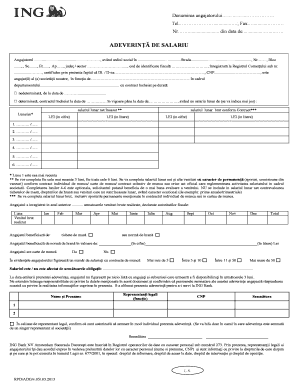
This guide provides a clear and supportive walkthrough for users looking to complete the Andhra Pragathi Grameena Bank online account opening form. Following these steps will ensure a smooth and user-friendly experience as you navigate through the required fields and sections of the form.
Follow the steps to successfully complete the form online.
- Press the ‘Get Form’ button to access the online form and open it for editing.
- Begin by entering your personal details, including your full name and contact number. Ensure that all information is accurate and up-to-date.
- Provide your address details, which should include your street name, block, and apartment number. Double-check for any typographical errors.
- Next, input your identification details such as your tax identification number and any relevant business registration number, if applicable.
- Indicate your employment information, including the name of your employer, your position, and the department you work in. Ensure the information aligns with your official employment record.
- Fill out the contract details specifying if your employment is permanent or temporary, along with the start date of your contract.
- Provide a breakdown of your monthly salary. Indicate both the net salary in numbers and letters, as well as any other consistent income you receive.
- If applicable, fill in the information about the meals allowance or any meal vouchers you benefit from, including their monetary value.
- Confirm your employment status by indicating whether you hold a labor book. Also note the total number of employees at your organization.
- Complete the section regarding any obligations affecting your salary and confirm that you are not on any layoff list for the next three months.
- Finally, review all the information you have entered for accuracy. After making sure everything is correct, proceed to save your changes, download the form, or print it out for your records.
Complete the Andhra Pragathi Grameena Bank online account opening form and take the first step towards managing your finances effectively.
Download Cointab app for Android or iPhone. Install app using mobile number which is registered in your APGB account. Select APGB for bank account registration. All your bank accounts registered with APGB will be shown in the app. Confirm accounts for mobile banking services.