Loading
Get Nkfr
How it works
-

Open form follow the instructions
-

Easily sign the form with your finger
-

Send filled & signed form or save
How to fill out the Nkfr online
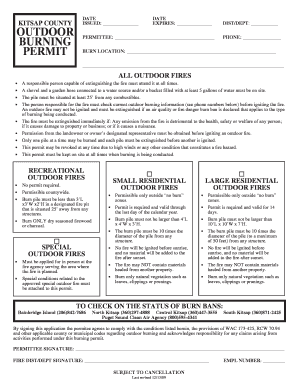
Filling out the Nkfr form for outdoor burning permits is a crucial step to ensure compliance with local regulations. This guide provides you with clear instructions on how to complete the form accurately and responsibly.
Follow the steps to successfully complete the Nkfr form.
- Click ‘Get Form’ button to retrieve the Nkfr form and access it in your preferred application.
- In the section labeled 'PERMITTEE,' enter your name or the name of the individual responsible for the permit. Ensure that the spelling is accurate.
- Next, in the 'BURN LOCATION' area, provide the specific address or description of the area where you will be conducting the outdoor burning.
- Fill in the 'DIST/DEPT' field with the designated department or district overseeing outdoor burning in your area.
- Input your contact 'PHONE' number. This information may be used to reach you regarding any questions about the permit.
- Review all mandatory guidelines detailed in the document. For example, ensure you have a responsible person to monitor the fire and that safety equipment is available on-site.
- In the 'PERMITTEE SIGNATURE' line, sign to confirm your agreement to comply with the conditions and regulations set forth in the permit.
- Lastly, after completing the form, you can save changes, download the document, print it, or share it as needed.
Ensure you're compliant and get started on your outdoor burning permit today by completing the Nkfr online.
BURN BAN STATUS: NONE A burning permit is required for all general outdoor burning. Burning permits may be obtained online from your local fire district.